



Key takeaways
- Every hour shows on your report by day, with what it went into.
- Prepaid hours count in 15‑minute steps and never expire.
- Calls and emails are not billed.
- You hear from me before you go past the hours you paid for.
Chapter 01The live report
What is the live hours report?
A private link that always shows the latest.
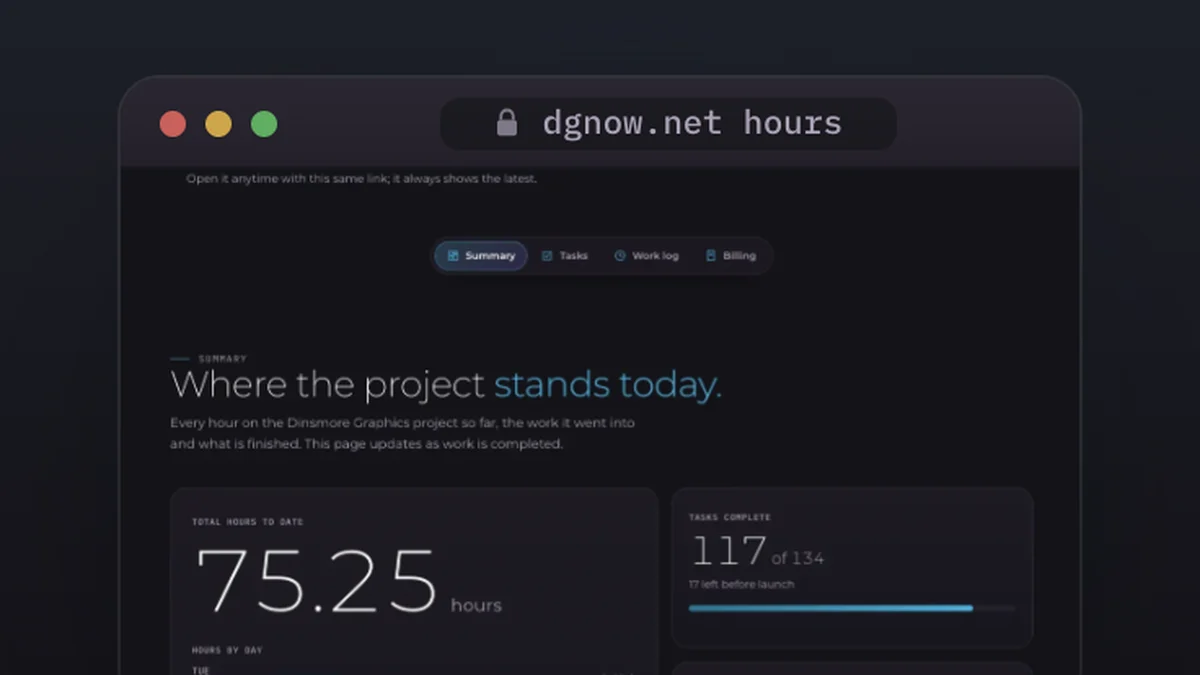
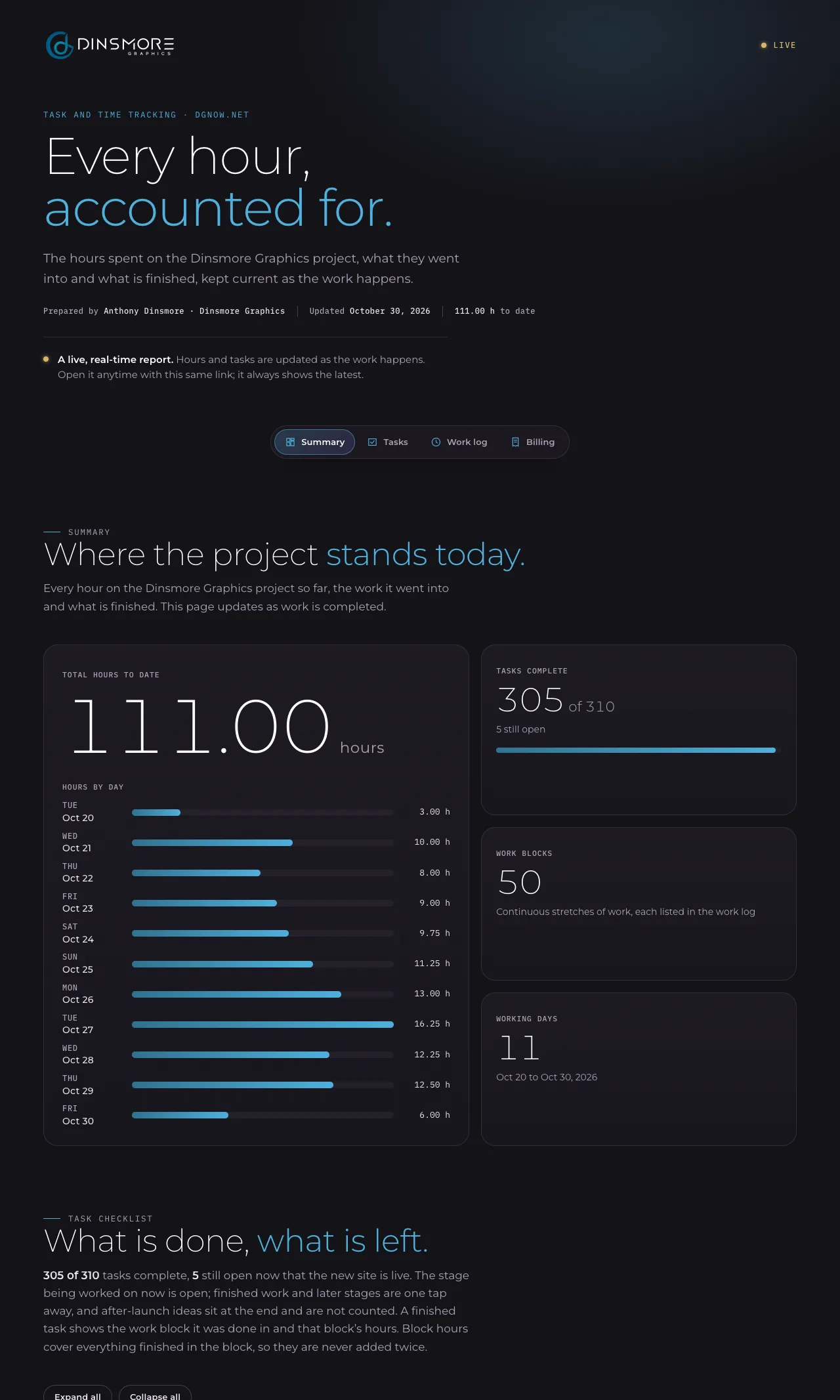
Every project gets its own report. It shows the hours so far, the hours by day, the tasks done and the tasks left.
LiveA live, real-time report. Hours and tasks are updated as the work happens. Open it anytime with this same link; it always shows the latest.
Chapter 02How to read it
How do you read your live report?
Start at the top: hours to date, then hours by day, then what is done and what is left.
This is the real report for this website. Each number below matches a part of the page.
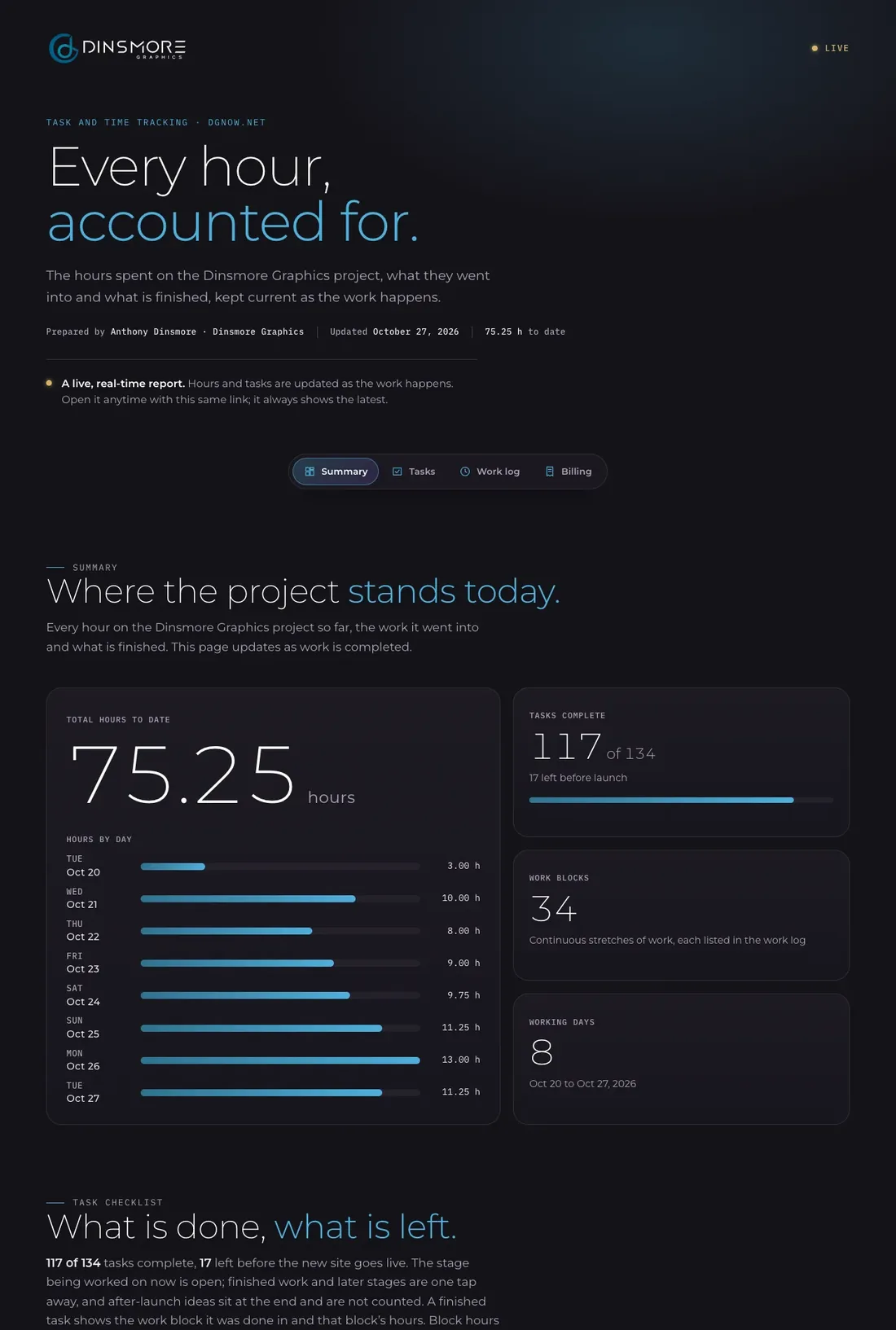 123456
- 1Live
The gold dot means the page is current. It is the same link for the whole project.
- 2Hours to date
Every hour so far, and the day the report was last updated.
- 3Hours by day
How many hours went into each working day.
- 4Tasks complete
Finished tasks out of all the tasks planned, and how many are left.
- 5Work blocks
Each stretch of work, listed in the work log with what was done in it.
- 6The checklist
What is done and what is left, stage by stage, with the stage being worked on now open.
Chapter 03How time counts
How is the time counted?
In small, honest steps.
Prepaid blocks are billed in 15‑minute increments, so you only use what the work takes. Pay as you go is billed weekly in 1‑hour increments. A short pause stays inside a work block; a long break ends it.
Billed
- Design and building, the hours spent making your project.
- Writing and testing, including checks on phones and other browsers.
- Changes you ask for, by the hour, with no limit on rounds.
Not billed
- Calls and emails.
- Your free consultation.
- Your estimate, which you get before anything is billed.
Chapter 04When hours run low
What happens when your hours run low?
You hear from me before you go past the hours you paid for, and you choose what happens next.
You can see your hours on your live report the whole time. When a prepaid block is nearly used, I tell you before going past it. Then you choose how to continue: another block, or a few more hours.
- A few more hours are billed at $75 an hour but still counted in 15‑minute steps, with no 2‑hour minimum, usually paid when the work is done.
- Another block brings the rate back down to $55 or $40 an hour.
- Hours left over never expire. Use them for SEO, updates or your next project.
Chapter 05Hourly or fixed
Hourly, fixed price or a prepaid block?
Fixed prices look simple until the plan changes; hours show exactly what you pay for.
Studios price work in three main ways. Here is what each one means for you.
Chapter 06Invoice vs live report
How is a live report different from an invoice?
An invoice tells you what you owe; a live report shows you what happened, while it happens.
Your report is a private link only you have. Once your new site is built, it moves onto your own website, hidden from search engines.
Chapter 07The work summary
What does the work summary show?
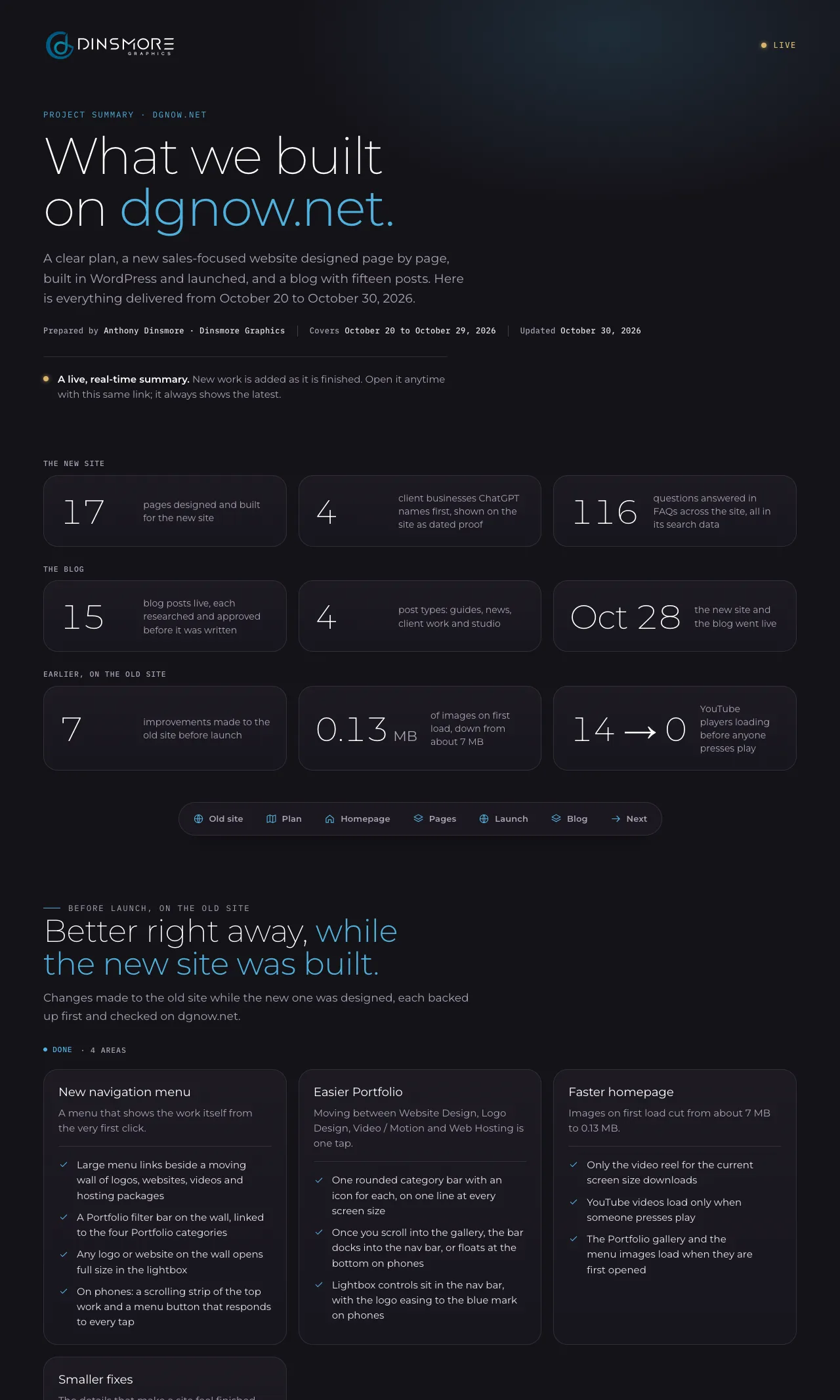
What was built, page by page.
A second page lists everything delivered, so you can see the whole project in one place, not just the hours.
Chapter 08AI and every project
Where does AI fit, and how does every project run?
AI keeps the project on track.
AI tools keep the task list, next steps, follow-ups and time log current and flag what is waiting on whom, so nothing slips. Every layout, color and word is still chosen by me.
AI does the busywork. I do the craft.
Every project runs in the same six steps:
- 1Free consultation
Tell me what you need. I reply within one business day, and we talk it through.
- 2Estimate in hours
You get an estimate in hours for the whole project, before anything is billed.
- 3Choose how to pay
Prepay a block, or pay as you go. One block covers any service.
- 4Design and build
I design, build and test, and you see every task on your live report as it is done.
- 5Review and launch
You check it and ask for changes. Nothing goes live without your OK.
- 6Keep going
Hours left over never expire. Use them for SEO, updates or your next project.
Questions
Straight answers.
More of what people ask about hours, billing and live reports.
Updated
Can I see how many hours my web designer actually worked?
With Dinsmore Graphics, yes. Your live report shows every hour by day, in 15‑minute steps, with what each block of work covered, and it updates as the work happens.
Is it better to pay a web designer hourly or a fixed price?
A fixed price suits work that will not change. Most projects do change, so hours are fairer: you pay for the work done and see every hour. A prepaid block also brings the rate down to $55 or $40 an hour.
Do prepaid hours expire?
No. Prepaid hours never expire. Whatever is left after your project stays on your account for SEO, updates or your next project.
Are calls and emails billed?
No. Calls and emails are not billed, and neither are the free consultation or your estimate.
Who can see my live report?
Only the people you share the link with. It is a private link, and once your new site is built, the report moves onto your own website, hidden from search engines.
What if my project needs more hours than the estimate?
You hear from me before you go past the hours you paid for. Then you choose: another block, or a few more hours at $75 an hour, still counted in 15‑minute steps.