

Key takeaways
- Most mix-and-match deals run on Shopify’s own automatic discounts, with no monthly app fee.
- Make one automatic discount per tier; Shopify gives each order the better one.
- Shopify takes discounts off each piece and rounds to the cent, so test the totals.
- Your store and cart can show the deal any way you like; checkout stays Shopify’s standard page.
Chapter 01Without an app?
Can Shopify do mix-and-match pricing without an app?
Yes. For most "mix any 3 for $12" deals, Shopify's own discounts are enough.
Most advice says mix-and-match deals need an app with a monthly fee. Shopify's automatic discounts can already take an amount or a percentage off when a shopper buys a minimum number of items from a collection, in any mix of products. Add one discount for each tier and you have "buy more, save more" pricing, built into Shopify itself.
Chapter 02A real store
How does KandyMan run five mix-and-match deals?
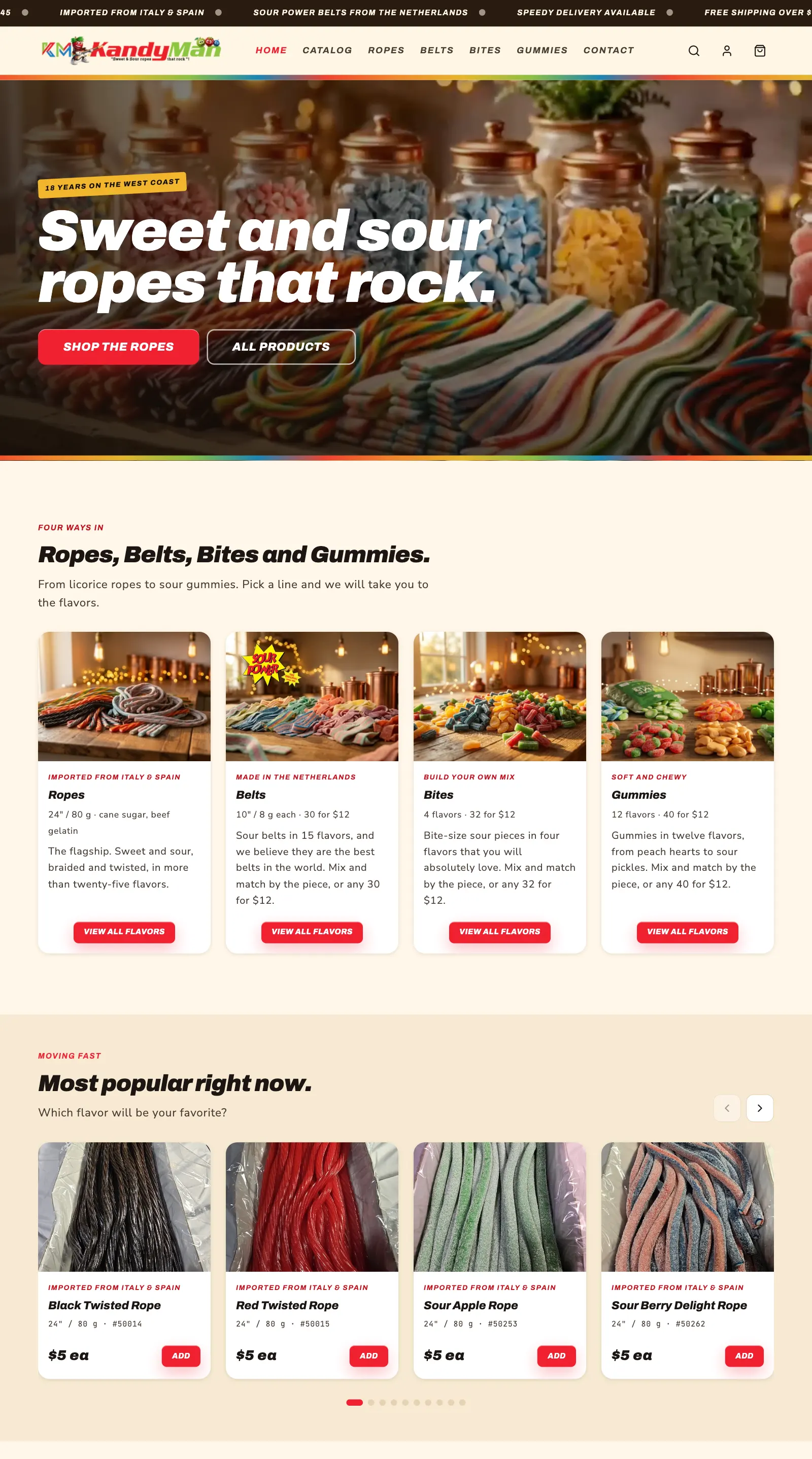
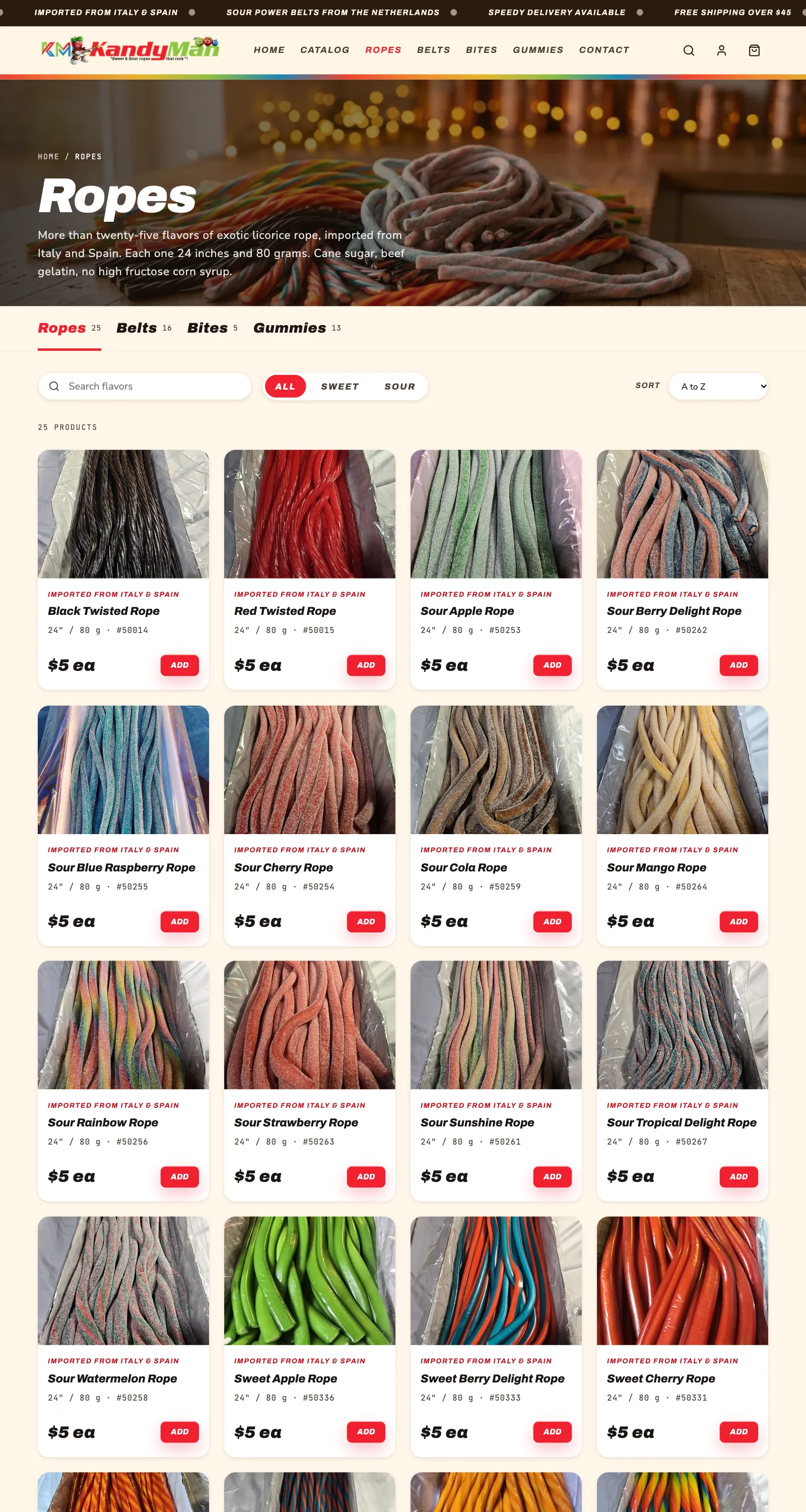
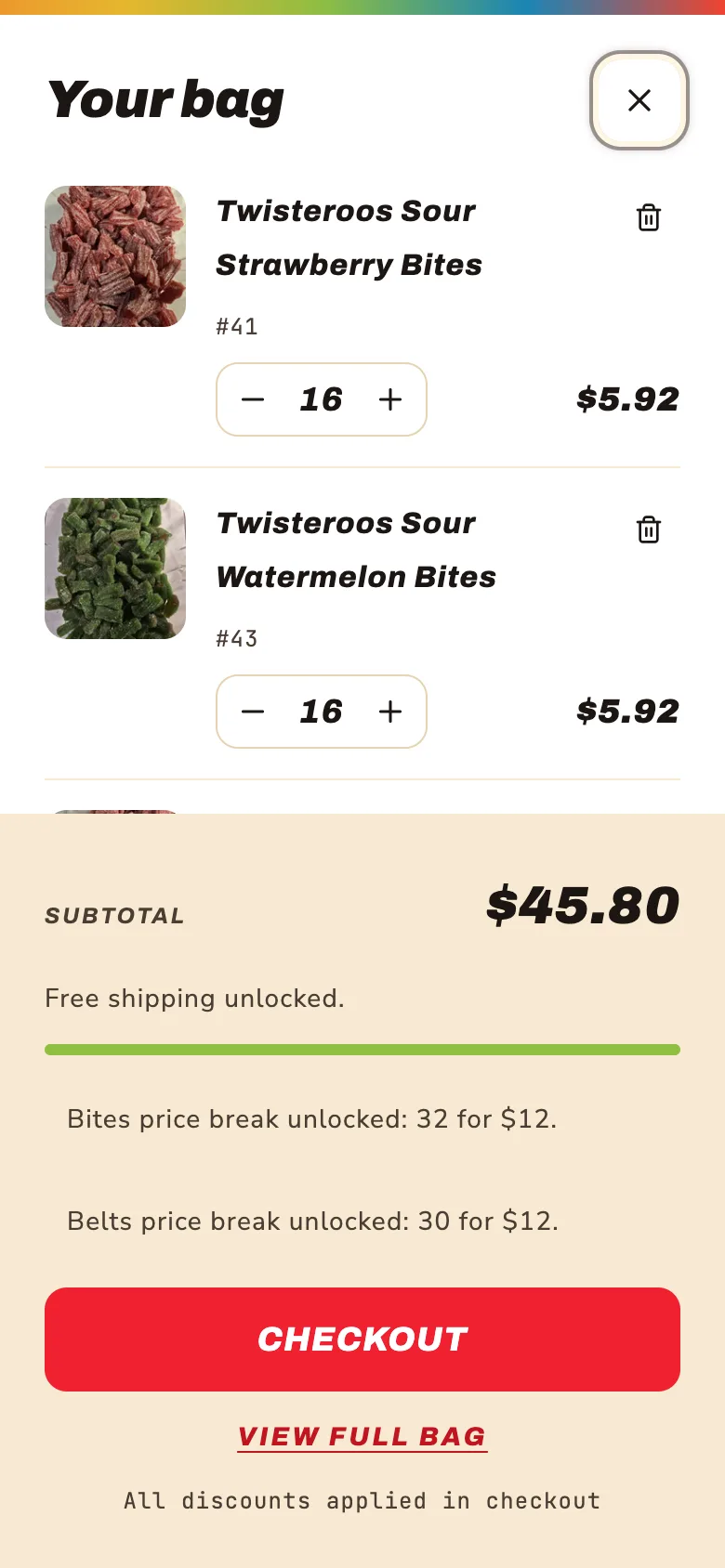
KandyMan sells licorice ropes, belts, bites and gummies, each with its own mix-and-match deal.
Shoppers mix any flavors in a line, and the price drops as soon as they reach the next level. All five deals stack with free shipping, on the Basic plan, with no app.
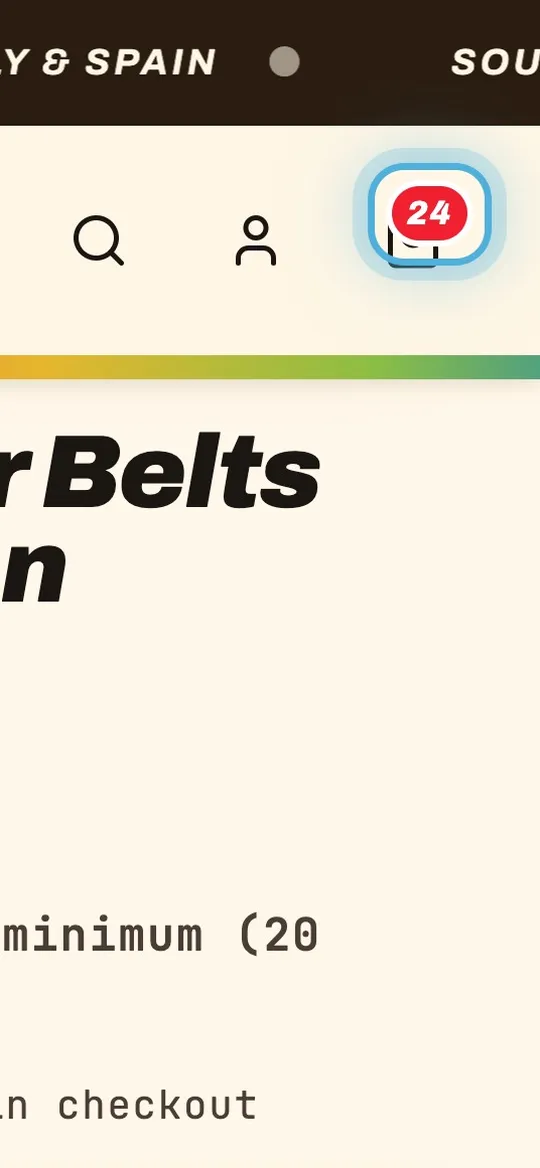
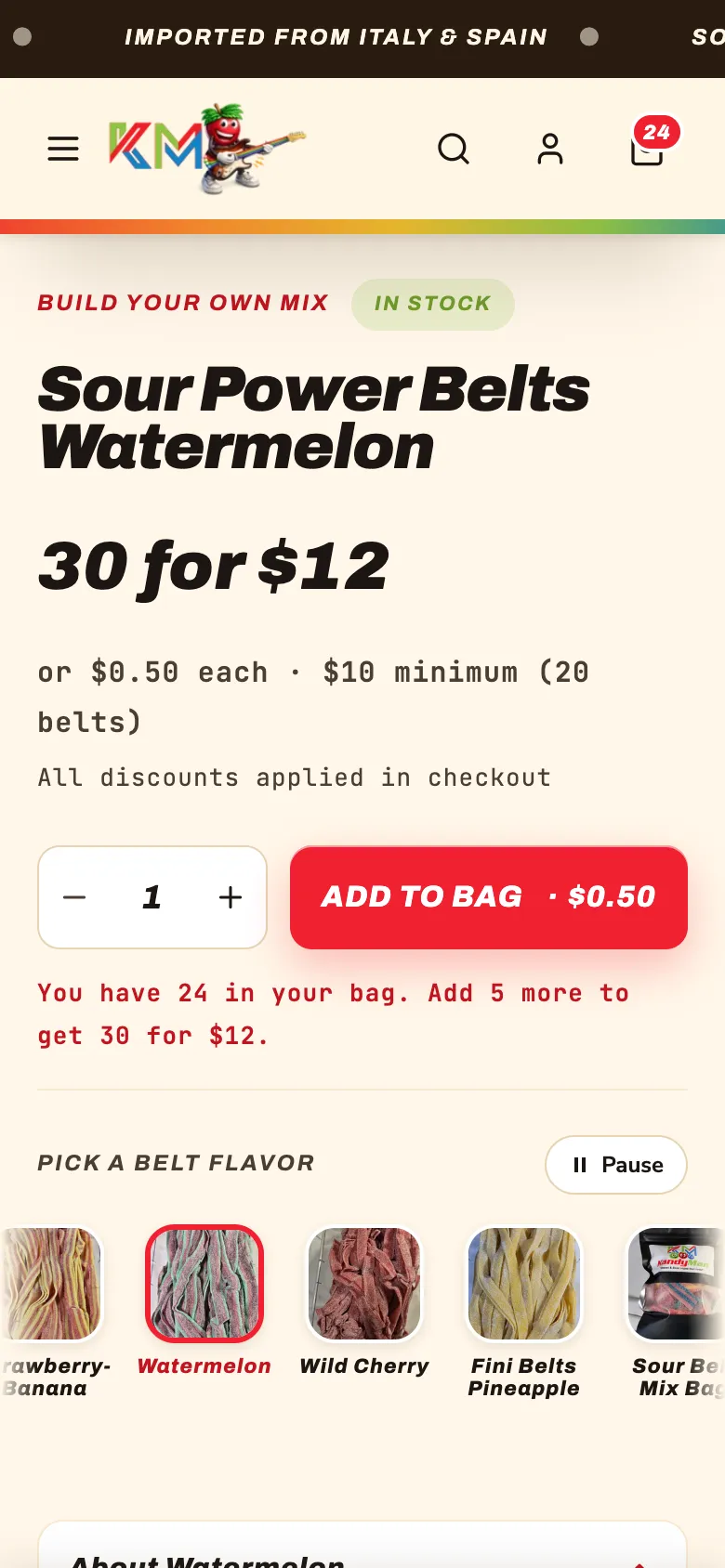
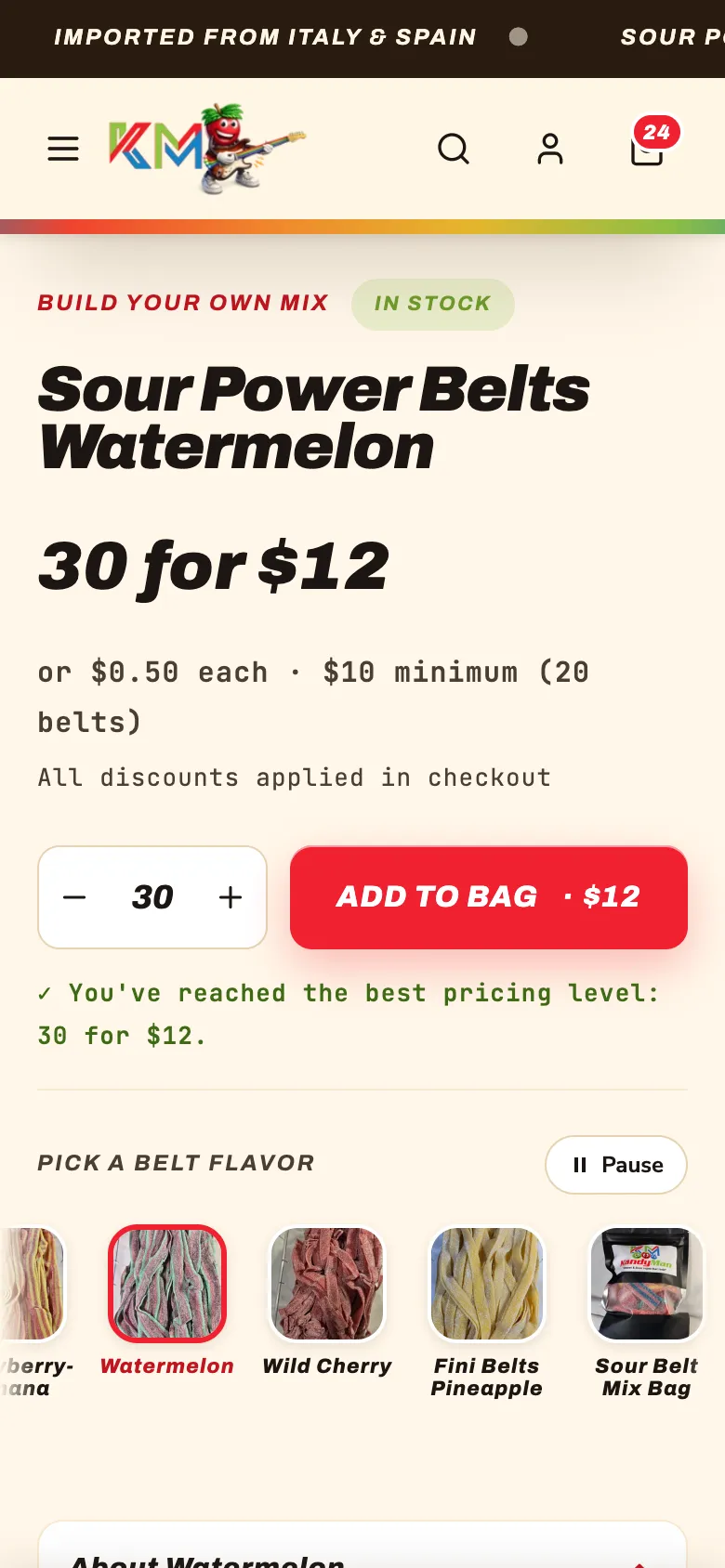
The real KandyMan store: the deal unlocks as belts are added
- Ropes
- Mix any 3 for $12, or any 6 for $22
- Sour Power belts
- Mix any 30 for $12, 20 minimum
- Bites
- Mix any 32 for $12, 20 minimum
- Gummies
- Mix any 40 for $12, 25 minimum
Chapter 03Set it up
How do you set up mix-and-match pricing in Shopify?
One collection, one automatic discount per tier, a minimum quantity, then a test order.
- 1Group the products
Put every product in the deal in one collection, like Ropes. Only items from that collection count toward the deal.
- 2Create an automatic discount
In Shopify, go to Discounts, create an "Amount off products" discount and choose Automatic discount, so shoppers never need a code.
- 3Set the value
Choose a percentage or a fixed amount that turns the regular price into your deal price.
- 4Require a minimum quantity
Under minimum purchase requirements, choose a minimum quantity of items, like 3. Any mix of products in the collection counts.
- 5Add the next tier
Make a second discount for the bigger deal, like 6 items. Shopify applies the better of the two to each order.
- 6Let it combine with free shipping
Under combinations, allow shipping discounts, so the deal and free shipping work together.
- 7Test the totals
Try 3, 5, 6 and 12 items in a test order and check every total to the cent before you announce the deal.
The settings for "3 for $12"
- Discount type
- Amount off products
- Method
- Automatic discount
- Value
- 20% off
- Applies to
- The Ropes collection
- Minimum requirement
- Minimum quantity of items: 3
- Combines with
- Shipping discounts
Chapter 04The rounding catch
Why can't "6 for $22" come to exactly $22?
Shopify takes the discount off each piece and rounds to the cent, so some deal prices can't land exactly.
"6 for $22" means $3.6667 a rope, and Shopify can only charge whole cents. KandyMan's second tier is set so each rope costs $3.66, and six come to $21.96: always a little under the advertised price, never over.
| In the bag | Regular price | Deal | Customer pays |
|---|---|---|---|
| 3 ropes | $15.00 | 3 for $12 | $12.00 |
| 5 ropes | $25.00 | 3 for $12 | $20.00 |
| 6 ropes | $30.00 | 6 for $22 | $21.96 |
| 12 ropes | $60.00 | 6 for $22 | $43.92 |

Round your deal in the customer's favor. A total a few cents under the advertised price never gets a complaint; a few cents over always does.
Chapter 05Where the price shows
Where does the deal price show?
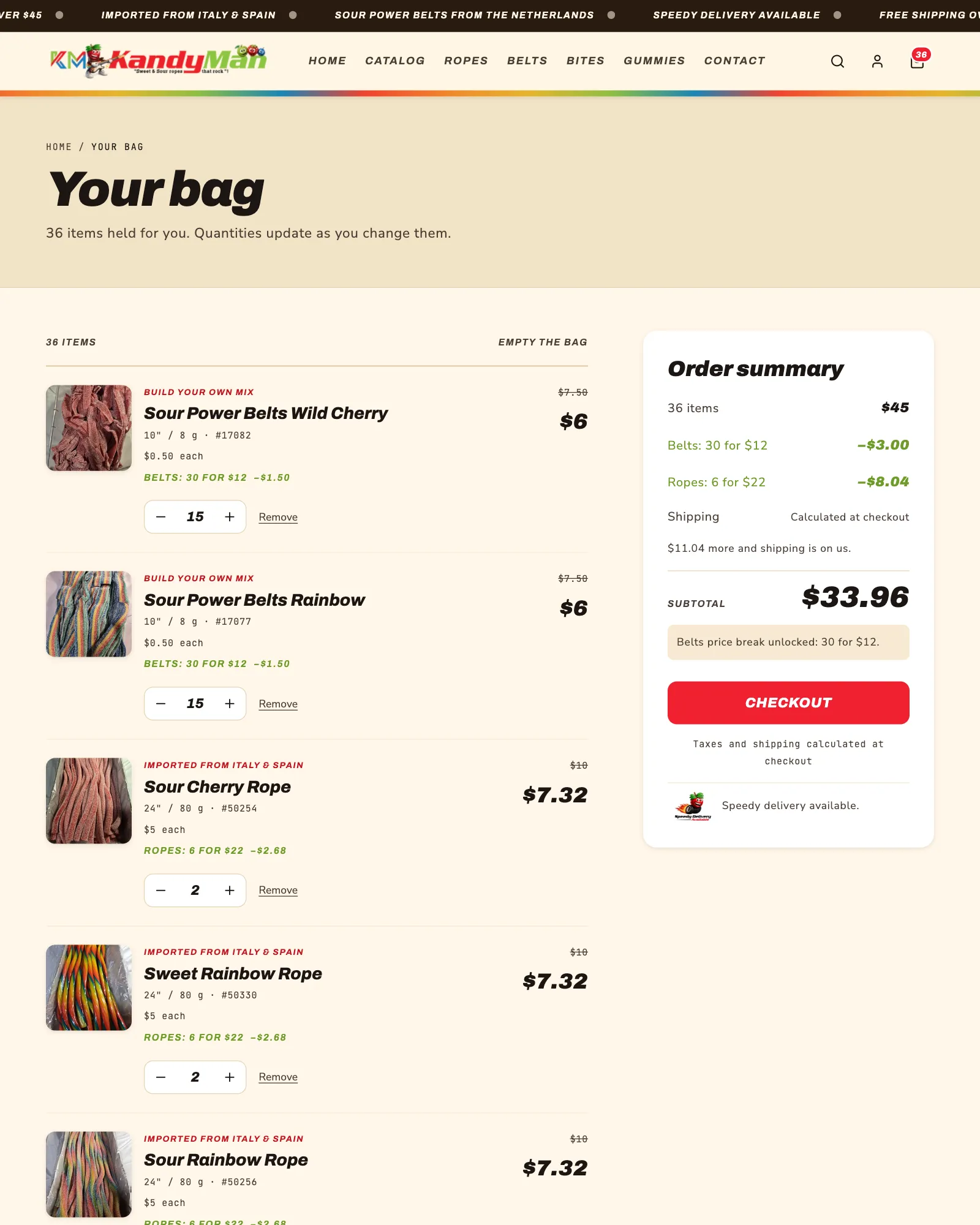
Your store and cart can show the deal any way you like; checkout shows it in Shopify's standard summary.
- Product and collection pages
Yours to design: the deal on every card, a live count of what is in the bag, and a “best pricing level” line when it is reached.
- The cart panel and cart page
Yours too: each line shows the deal it got with the old price struck through, and the free shipping line counts after the deals.
- Checkout
Shopify’s standard page with your colors and logo. The discounts appear in its order summary. Changing how checkout works needs Shopify Plus, from about $2,300 a month.
Chapter 06Native, app or Plus
Native discounts, a bundle app or Shopify Plus?
Native discounts cost nothing a month; apps handle unusual rules; Plus changes checkout itself.
Shopify's free Bundles app sells fixed bundles and multipacks, not mix-and-match. Shopify Scripts, the old Plus way to write pricing rules, stopped running on June 30, 2026, so older guides that recommend them are out of date.
Chapter 07When you need an app
When do you really need a bundle app?
When the deal can't be written as "this many items from this collection, this much off."
- A true flat price on items with different prices, like any 3 for $30 where one item is $8 and another is $14.
- Build-a-box with its own inventory, where the box is a product and the contents are picked one by one.
- A free gift or a different item as the reward, beyond what Shopify’s Buy X get Y discount covers.
- More than 25 deals at once, since Shopify allows 25 active automatic discounts.
If your rules go beyond what Shopify can do on its own, we'll say so, and set up the app that fits.
Free consultation
Have a deal in mind?
Tell me your products and the deal you want. We work out whether Shopify can run it on its own, and you get an estimate in hours before any work starts.
Chapter 08Time and cost
What does it cost to set up?
Setting up your deals is estimated in hours after a free consultation; a fully custom store takes longer.
Every deal is planned, set up and tested to the cent against Shopify's own discounts first. A fully custom store like KandyMan's, with its own pages, cart and cart panel, takes most stores 20 to 40 hours or more: $800 to $1,600 or more with prepaid hours. Your Shopify plan, theme and any apps are paid to Shopify, not to us.
Questions
Straight answers.
More of what people ask about Shopify deals and bundles.
Updated
Can I do mix and match on Shopify without an app?
Yes, for most deals. An automatic “Amount off products” discount with a minimum quantity of items from a collection counts any mix of products in that collection. Add one discount per tier for buy-more-save-more pricing.
How do I set up “buy any 3 for $12” on Shopify?
Put the products in one collection, then create an automatic Amount off products discount for that collection with a minimum quantity of 3, and set the percentage that turns three regular prices into $12. Test the totals before you announce it.
Does the Shopify Bundles app support mix and match?
No. Shopify’s free Bundles app sells fixed bundles and multipacks. For mix-and-match, use automatic discounts with a minimum quantity, or an app when the rules go beyond that.
Do I need Shopify Plus for bundle or volume pricing?
No. KandyMan runs five mix-and-match deals on the Basic plan. Plus is only needed to change how checkout itself works or to run your own custom pricing code.
Why doesn’t my discount show the way I want at checkout?
Checkout is Shopify’s standard page on every plan but Plus: it lists the discounts in its own order summary. Show the deal the way you want on your product pages, cart page and cart panel instead.
Do bundle apps slow down my Shopify store?
They can. Most bundle apps add their own scripts to your pages. Native automatic discounts add nothing to your store, which is one more reason to use them when they can do the job.