



Key takeaways
- DG Hub covers the work after the sale, not just the leads.
- Each client’s emails, invoices, hours and hosting sit on one record.
- Its stages, screens and emails follow how this studio runs.
- Gmail and PayPal stay in place. DG Hub connects to them.
- Website and Mac share one set of records.
Chapter 01What it is
What is DG Hub?
DG Hub is the private system that runs Dinsmore Graphics, on our website and in a native Mac app, with the same records in both.
It started on November 2, 2026 as a small lead tracker for the requests coming in from dgnow.net. Then the rest of the business moved in, one piece at a time: clients, hosting, client reports, the Mac app, invoices, support, free audits and tasks.
Chapter 02More than a CRM
How is it more than a CRM?
A CRM tracks leads and deals. DG Hub tracks those too, then keeps going through the work, the money and the follow-through.
Most of what runs a design studio happens after someone says yes: emails to answer, hours to report, invoices to send, domains to renew. In DG Hub, all of it hangs off the same client record.
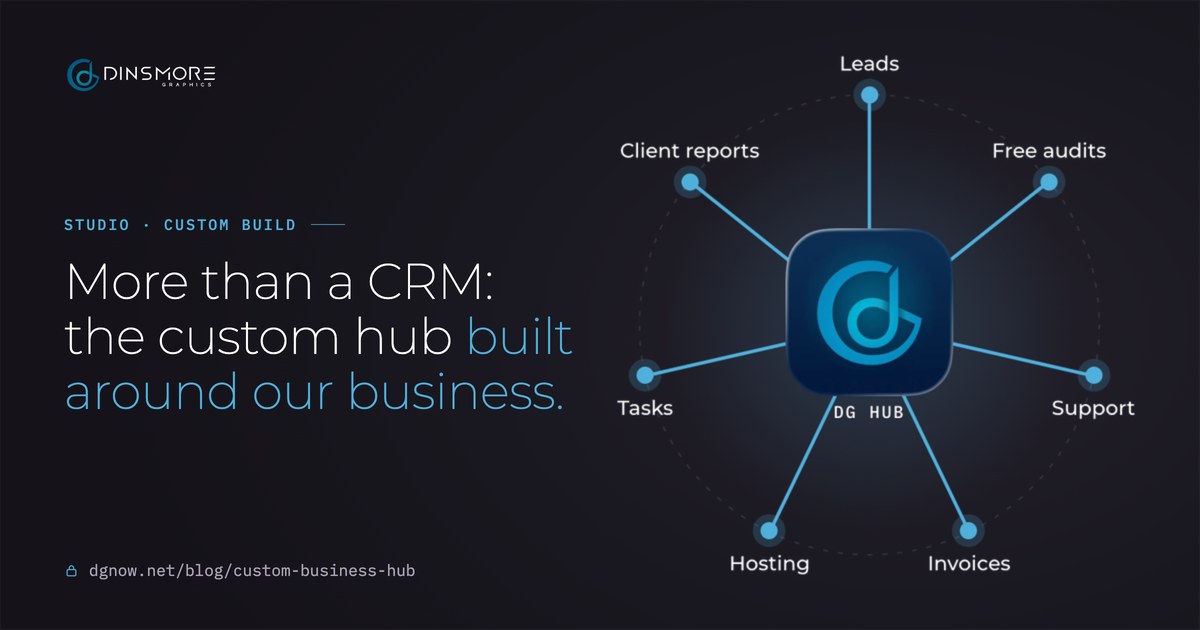
DG HubLeadsFree auditsSupportInvoicesHostingTasksClient reports- LeadsEvery form on dgnow.net lands in one pipeline.Website forms
- Free auditsEach request tracked from first check to final outcome.Audit work
- SupportClient email beside each client's record.Gmail
- InvoicesDrafted from hours, renewals or a blank page.PayPal
- HostingPlans, domains, yearly charges and licenses.Renewal emails
- TasksOne list across clients.Report checklists
- Client reportsHours and summary pages that publish themselves.Report builds
Chapter 03One client
How does everything connect to one client?
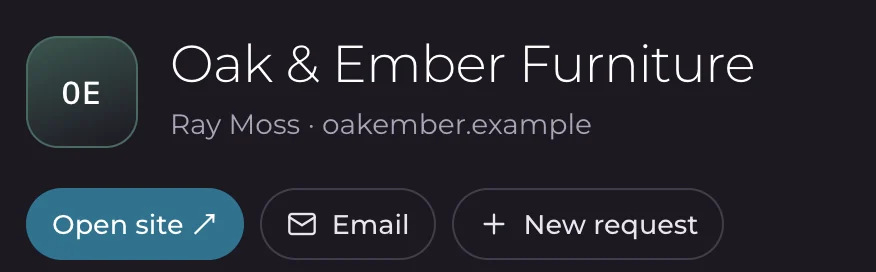
Open a client and everything about them is together: their emails, invoices, hours, tasks, hosting and what comes next.
A contact list tells you who someone is. This tells you where things stand. Conversations are matched to the client by email address, and PayPal invoices sent to that address show up under the client on their own.


That changes how an ordinary email gets answered:
- Ray writes in
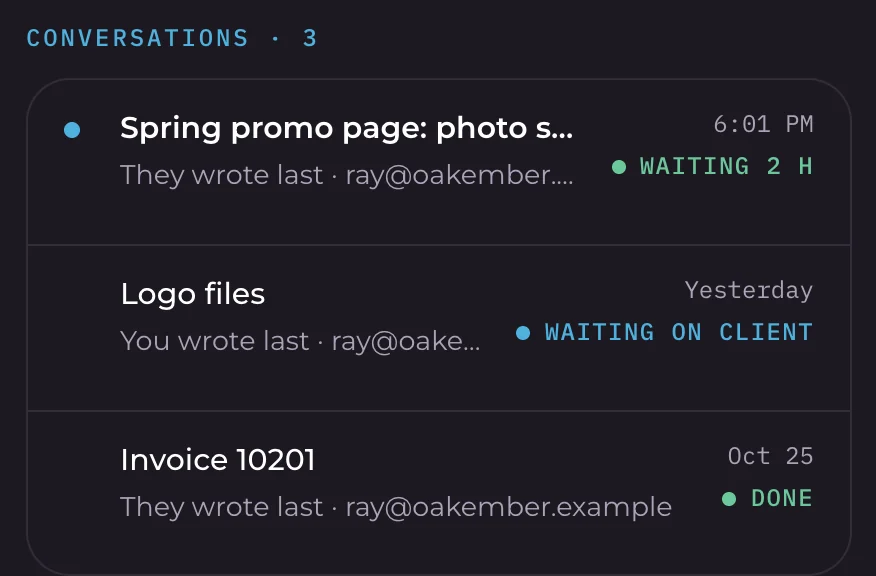
The email about the spring promo page lands on the client's record, marked waiting on you.
- You see the whole picture
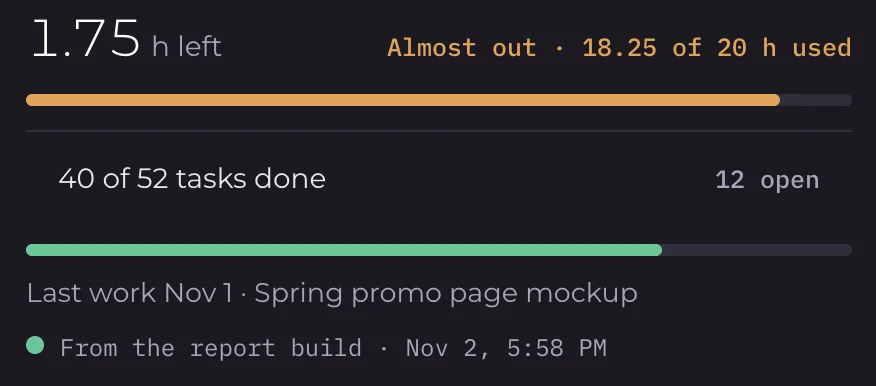
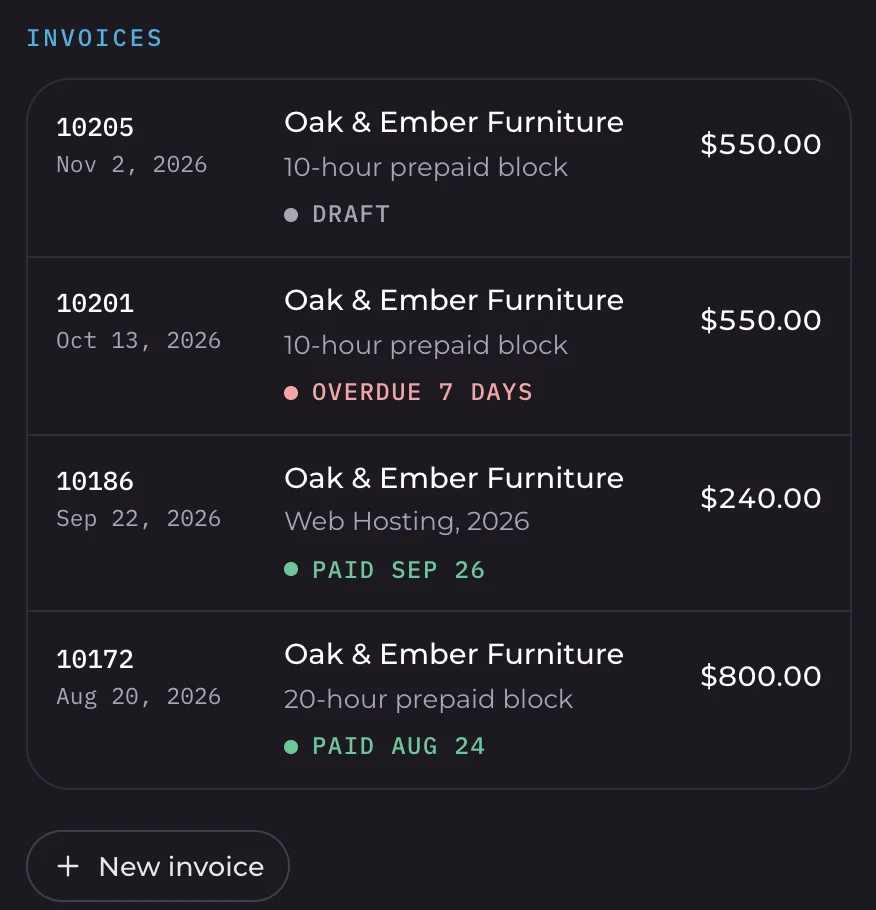
Right beside it: an invoice 7 days overdue, 1.75 prepaid hours left and a hosting renewal on November 14.
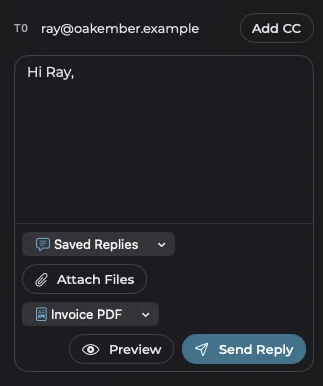
- You reply from there
The reply goes through Gmail in the same thread, with the invoice PDF attached if you want it.
Chapter 04Today
What does the day start with?
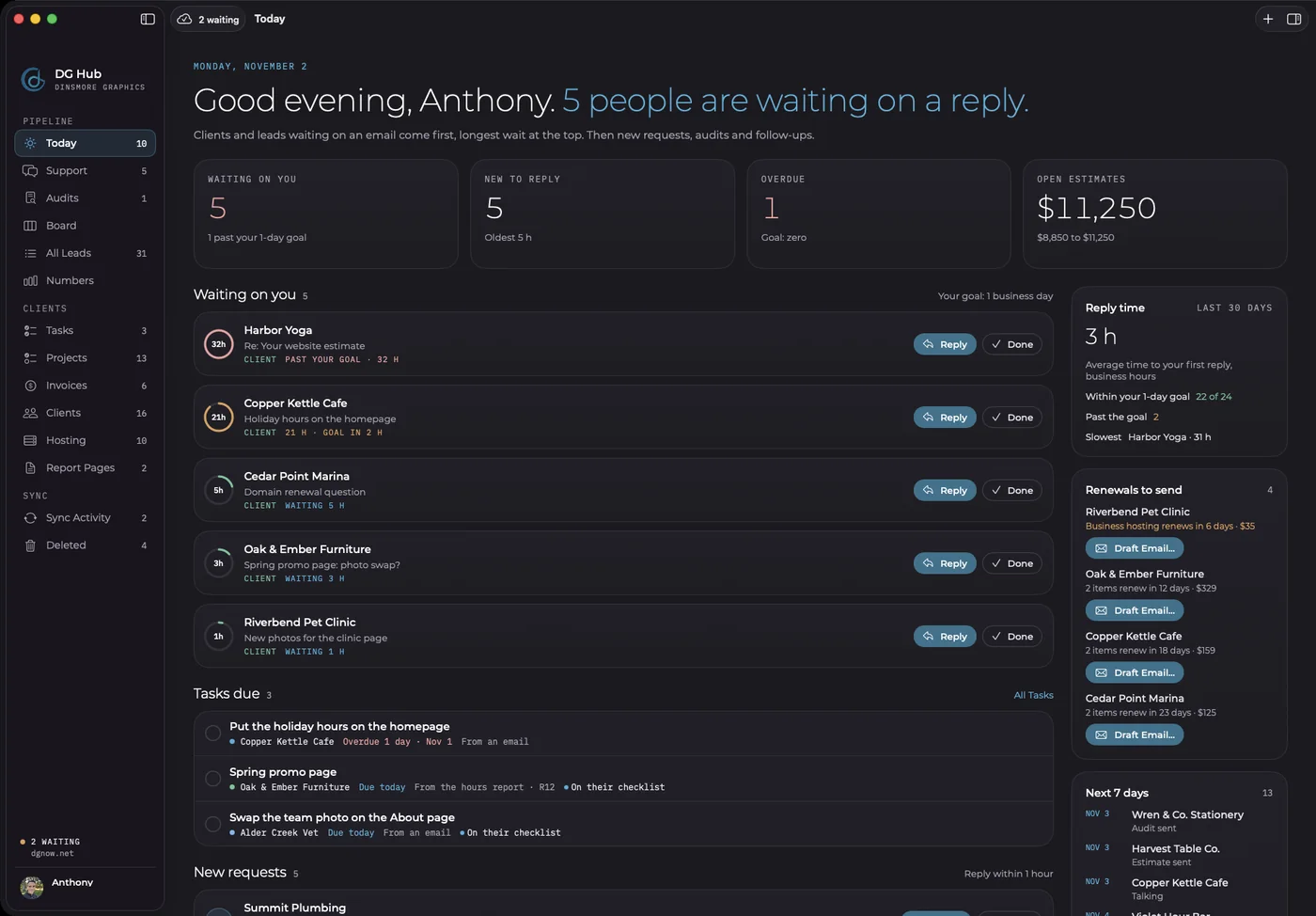
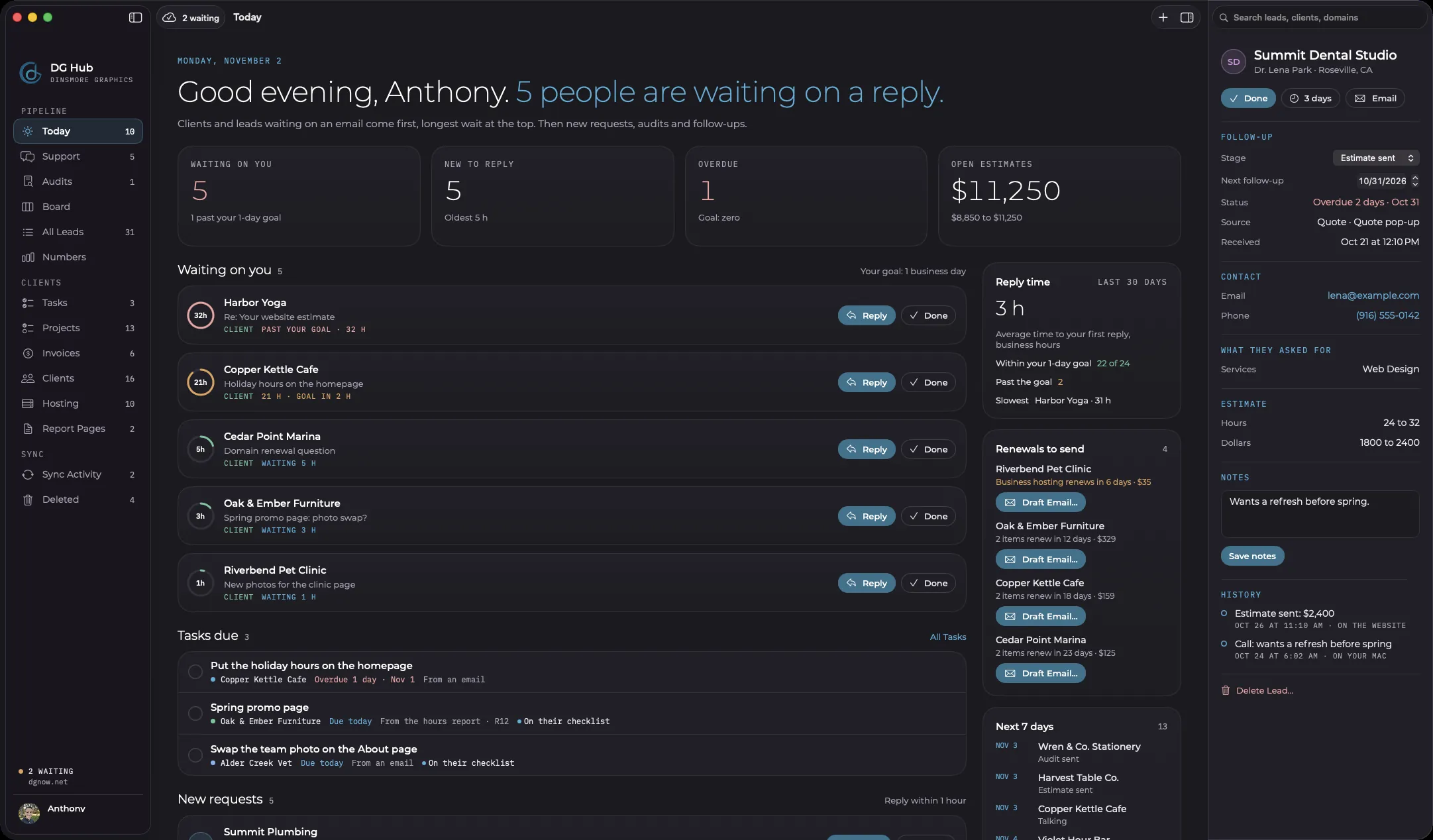
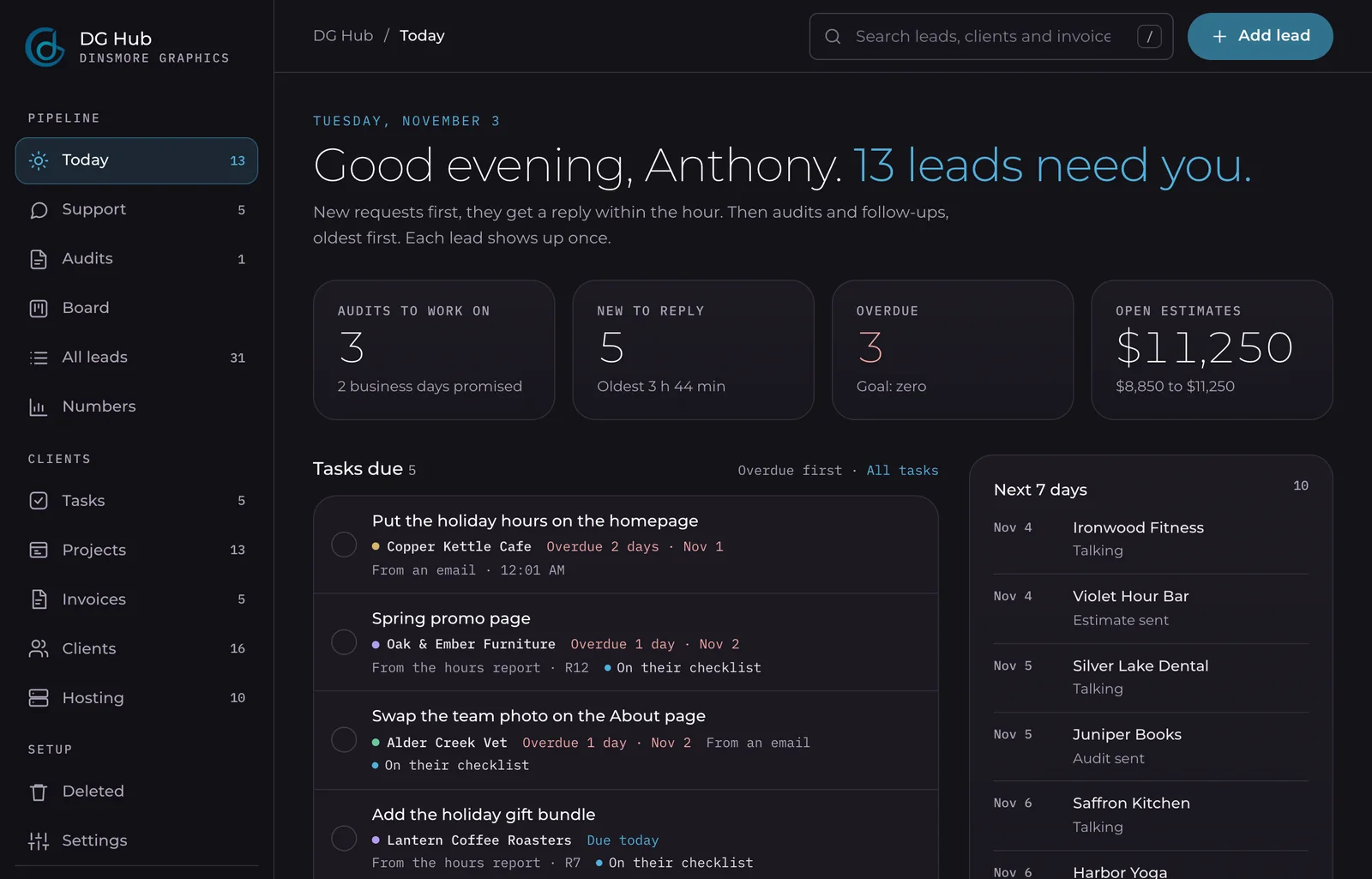
One screen answers three questions: who is waiting, what is due, and what is new.
This is the screen we open first. Nothing here is a default dashboard. The order is our order, with people waiting on an email at the top. A morning email at 7:30 sends the day's list.
- 1The day in four numbers
Waiting on you, new to reply, overdue and open estimates.
- 2Waiting on you
Clients and leads waiting on an email, longest wait first, each with a timer against our reply goal.
- 3Tasks due
Overdue work and today's work, across every client on the list.
- 4New requests
Fresh requests from the website, with the time left to reply.
- 5Reply time
The last 30 days: average first reply, and how many met the goal.
- 6Renewals to send
What renews soon, with the email one click away.
Chapter 05The pipeline
How is the pipeline built around our sales process?
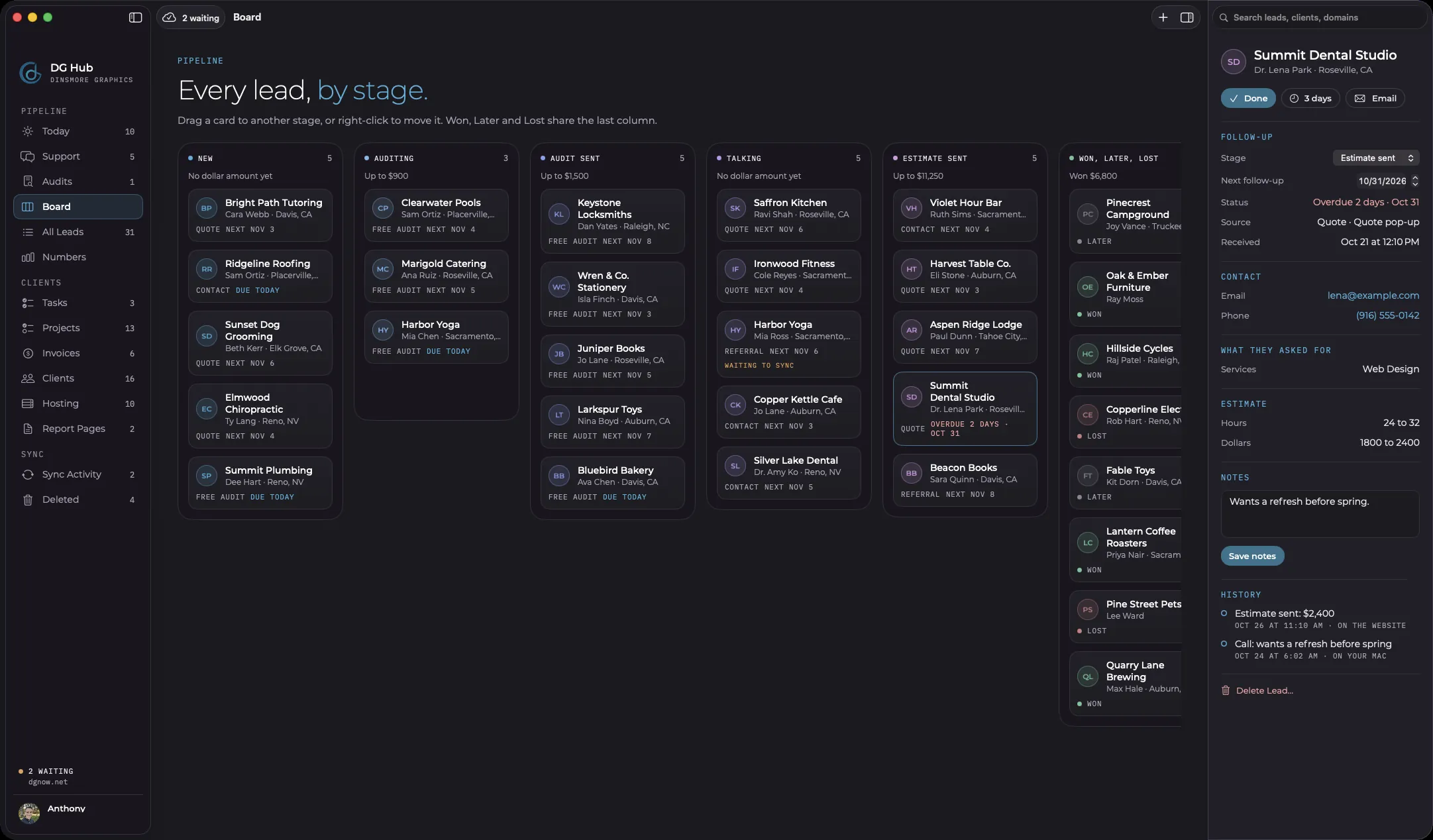
Every form on dgnow.net creates a lead on its own, and it moves through stages written for how we sell.
Quote, contact and free audit requests all land in one pipeline, with the page they came from attached. Audit leads get two stages of their own. Quote and contact leads skip them.
NewAuditingAudit sentTalkingEstimate sent
WonLaterLost
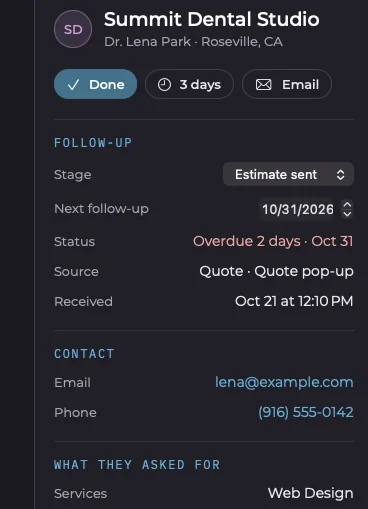
Open a card and the whole lead is there: stage, next follow-up, where it came from, the estimate in hours and dollars, notes and history. The Numbers screen then shows which spots on the site actually bring requests.
Chapter 06Free audits
How does the free audit queue work?
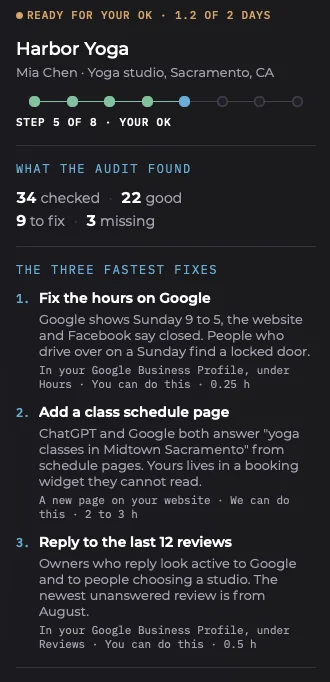
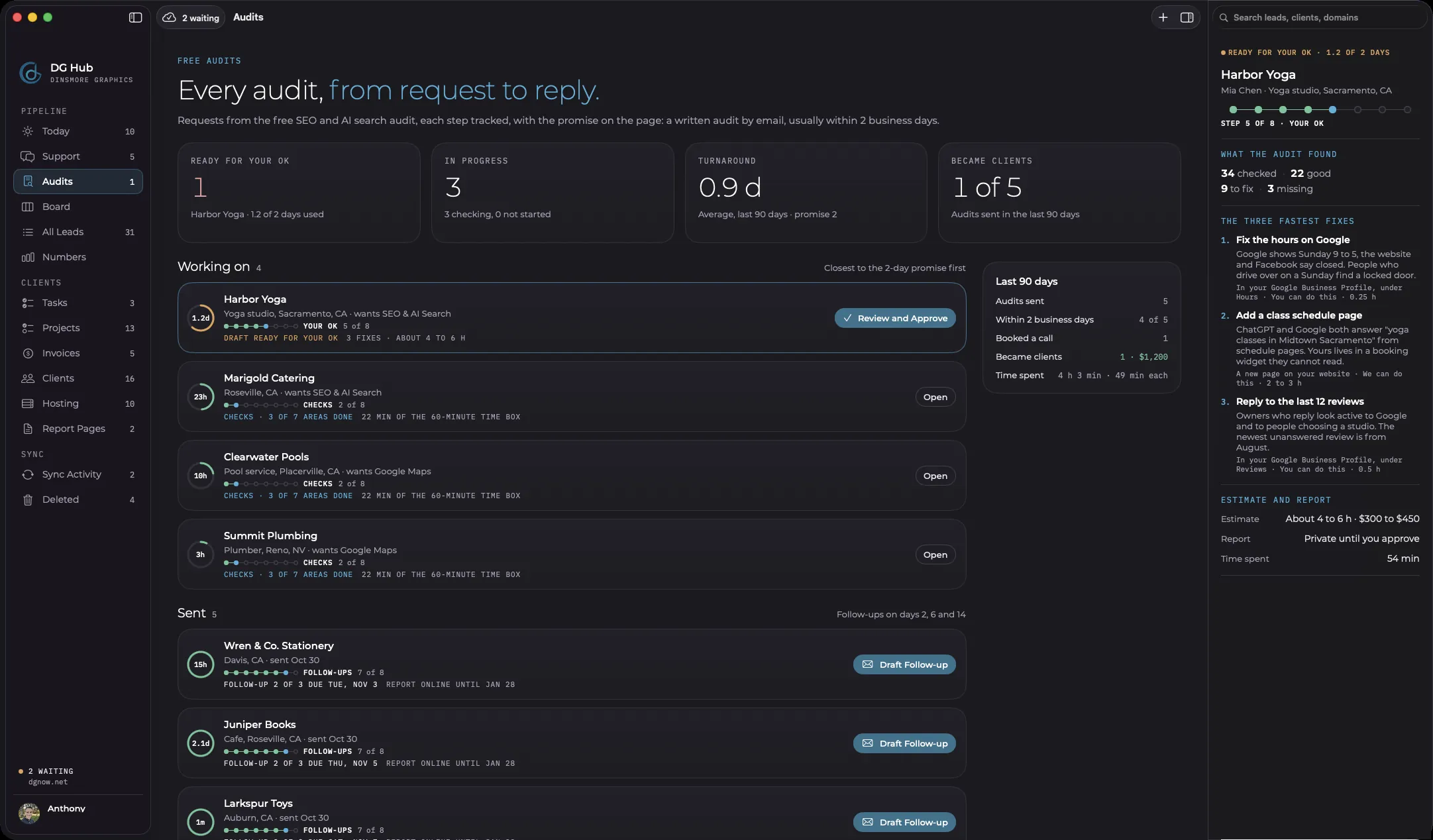
Each free audit request follows an eight-step track against our 2-business-day promise, and nothing goes out until it is approved.
This screen was built for one thing: our free SEO and AI search audit. It shows each request's progress and the time left on the promise. The checks are AI-assisted, in public view only, and every point is reviewed by hand.
- Request
- Checks
- Fixes
- Draft
- Your OK
- Sent
- Follow-ups
- Outcome
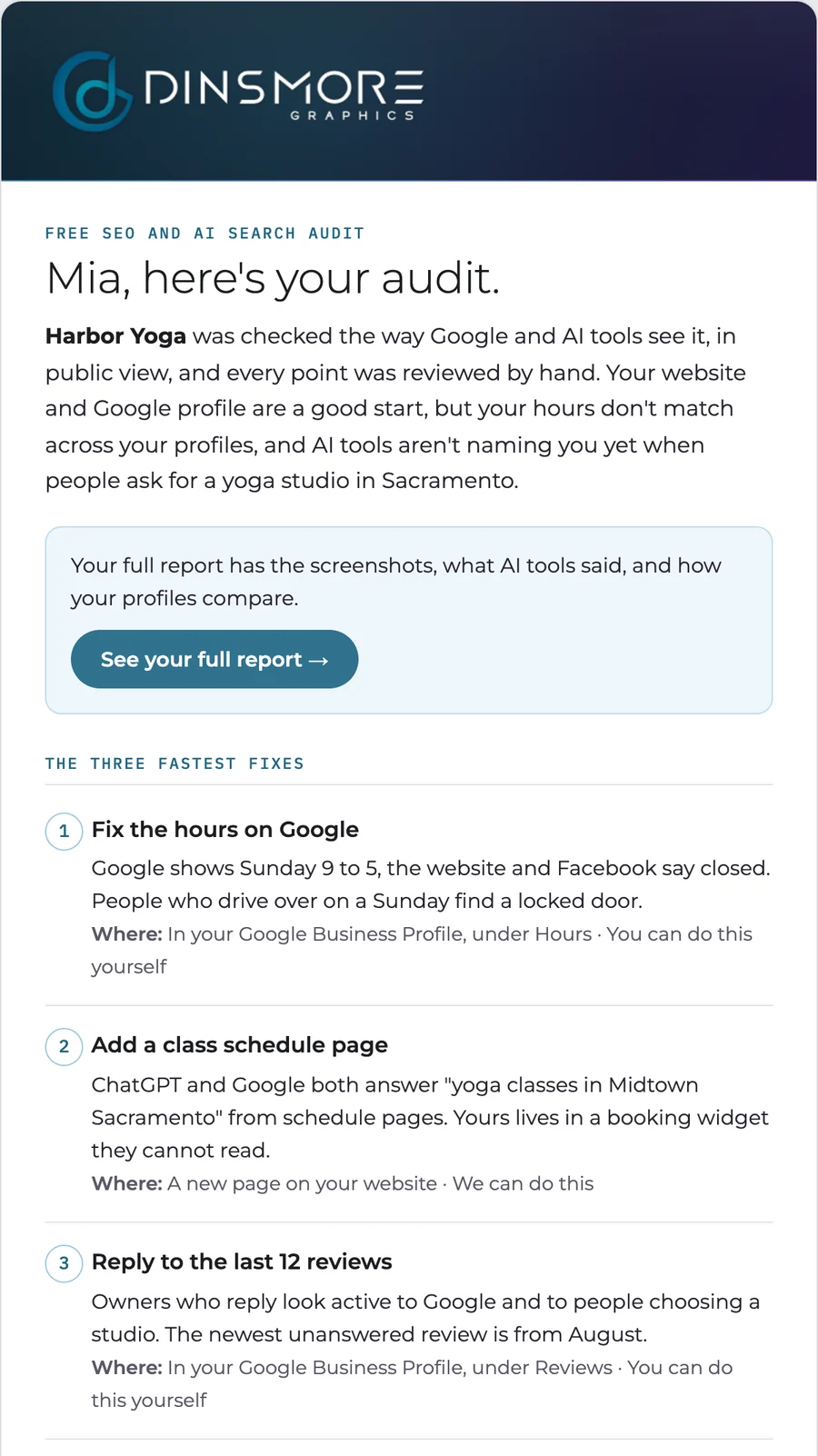
When a draft is ready, it shows the three fastest fixes, the estimate and the exact email the business will get. Approve and Send delivers it through Gmail, with 10 seconds to undo.
Chapter 07Support
How does support work?
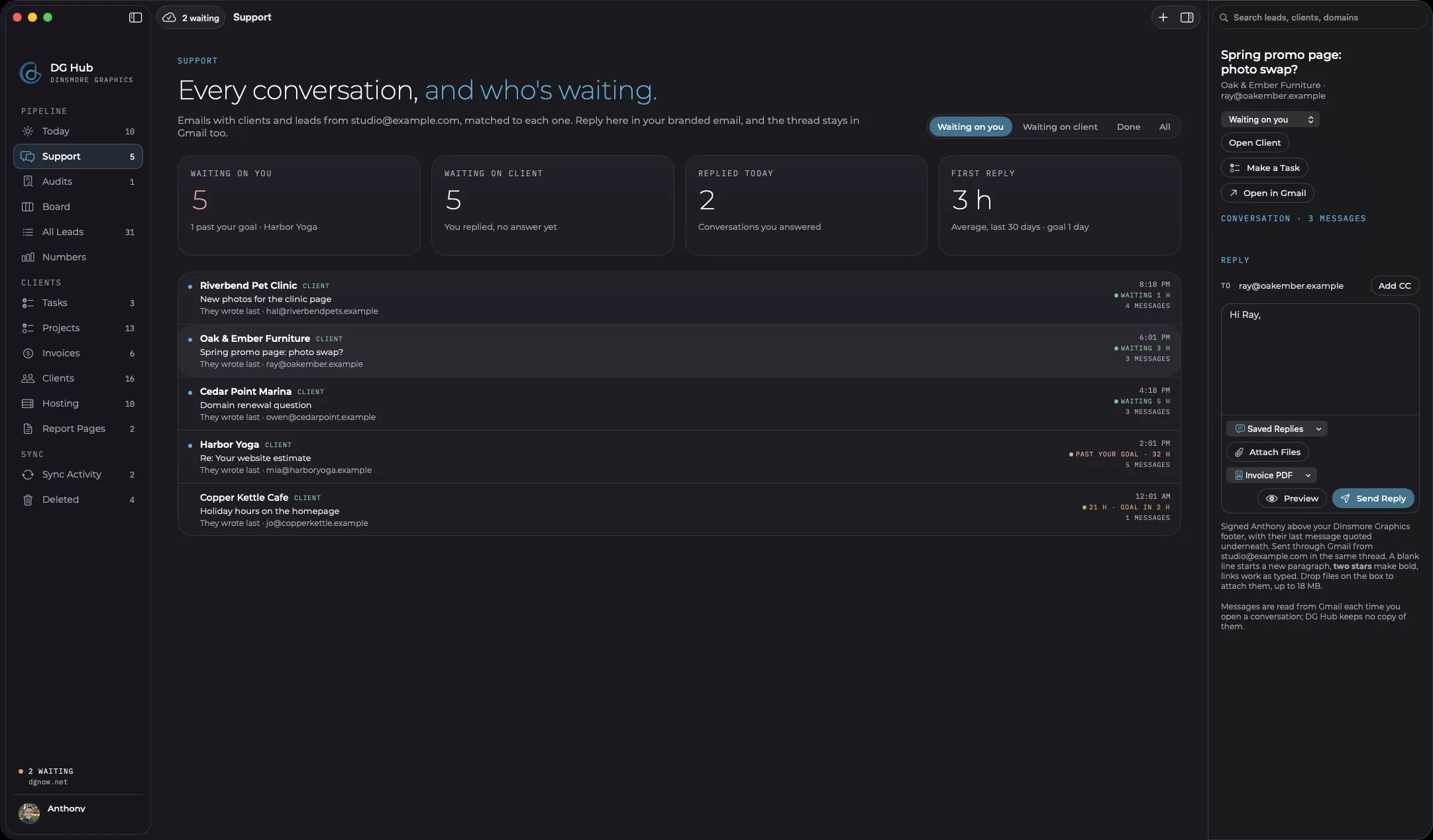
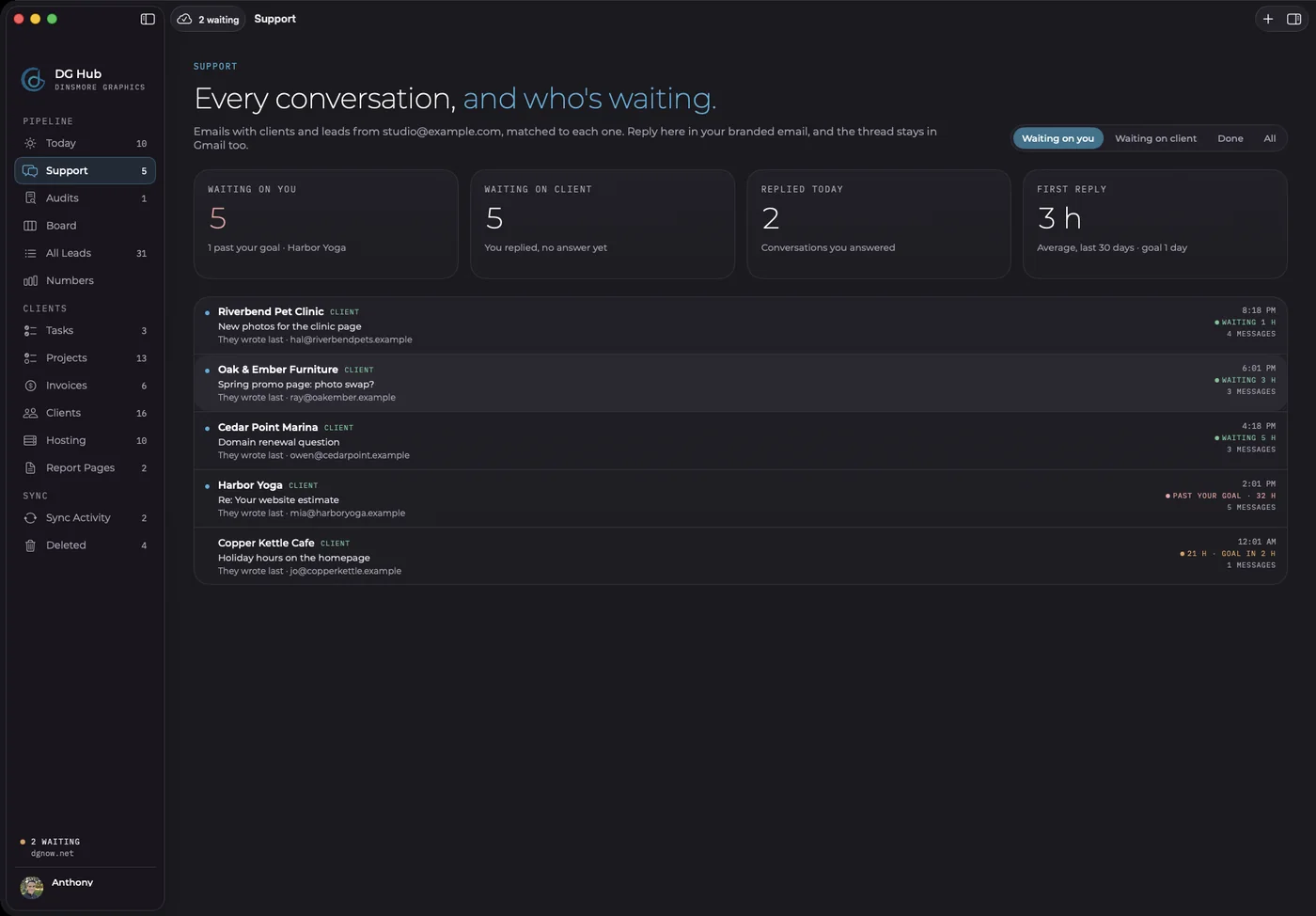
Every client conversation is on one screen, connected to Gmail and sorted by who is waiting.
Messages are read from Gmail when a conversation opens, so DG Hub keeps no copy. Replies go out in our branded email. A reply goal and alerts flag anyone waiting too long.
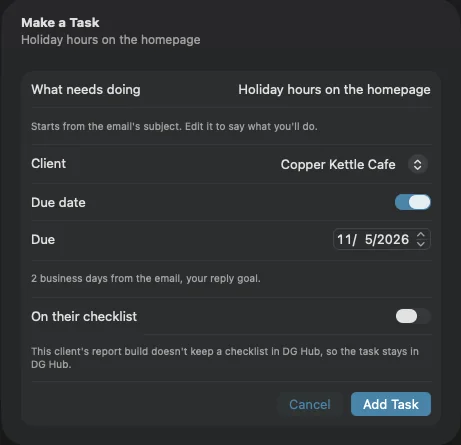
Any email can become a task. The title starts from the subject line, the client is filled in, and the due date follows our reply goal.
Chapter 08Invoices
How do invoices work?
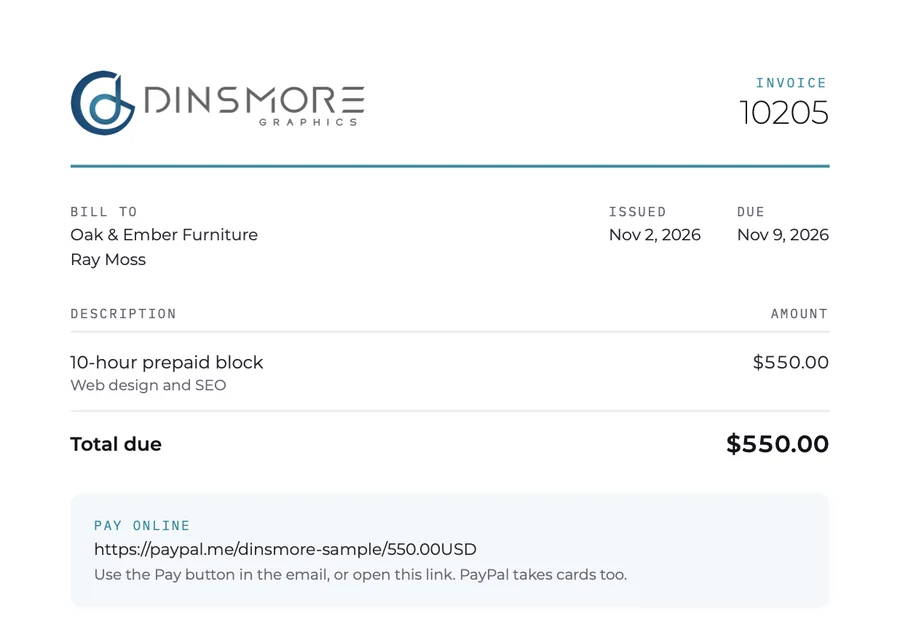
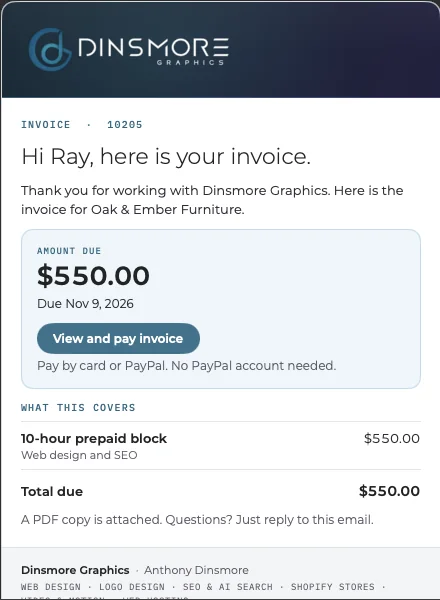
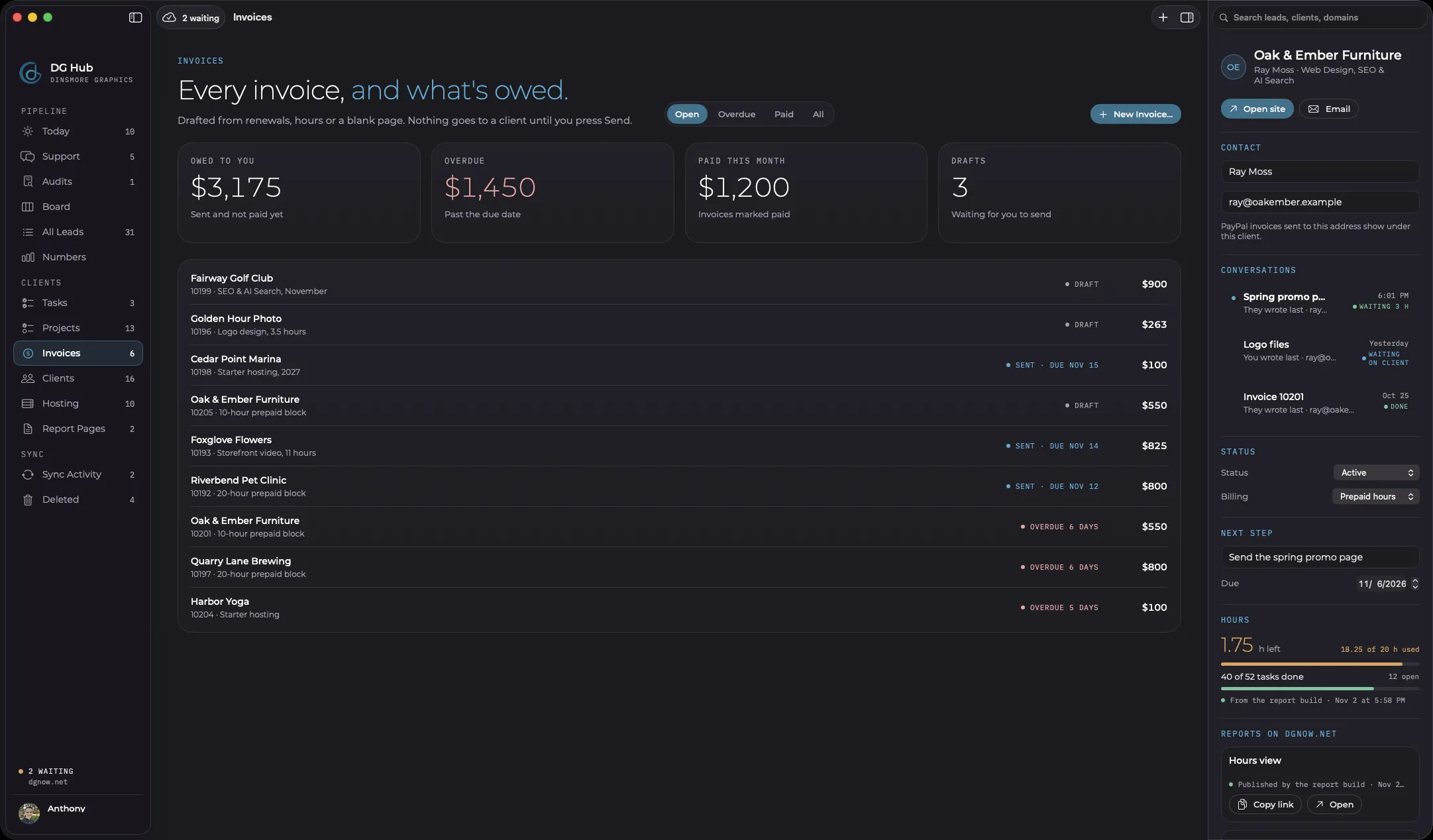
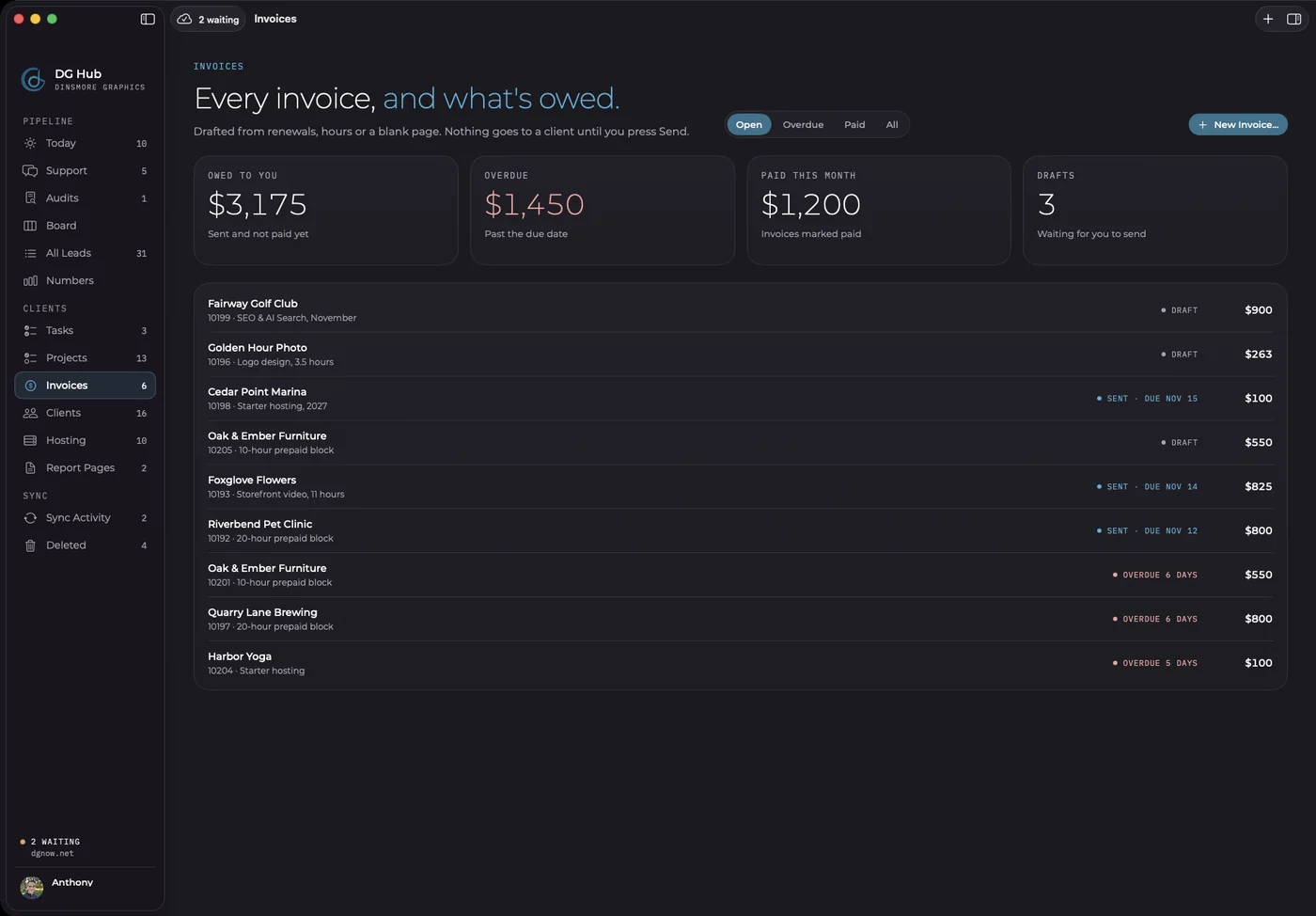
One screen shows what is owed across every client. Invoices go through PayPal and arrive in our branded email with a logo PDF.
An invoice starts from a renewal, a block of hours or a blank page. Nothing goes to a client until it is sent. When we connected PayPal, DG Hub carried on from our existing invoice numbers.


Chapter 09Hosting
How does it handle hosting?
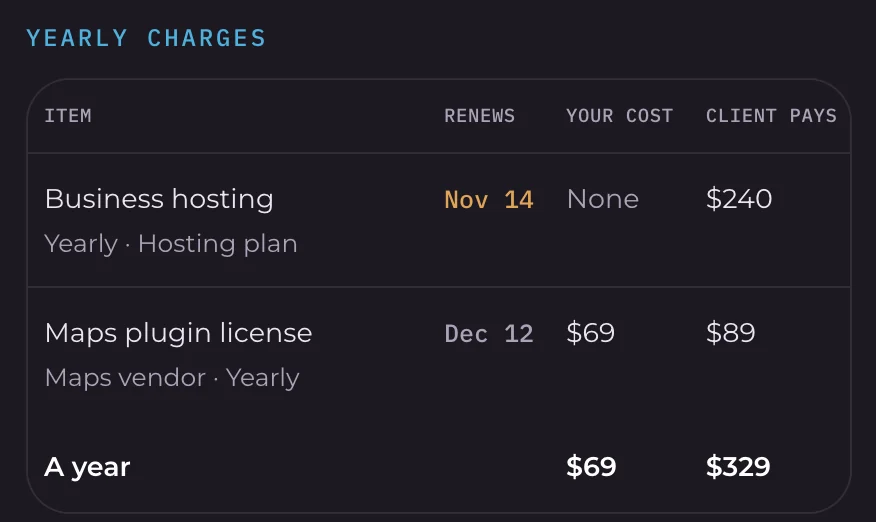
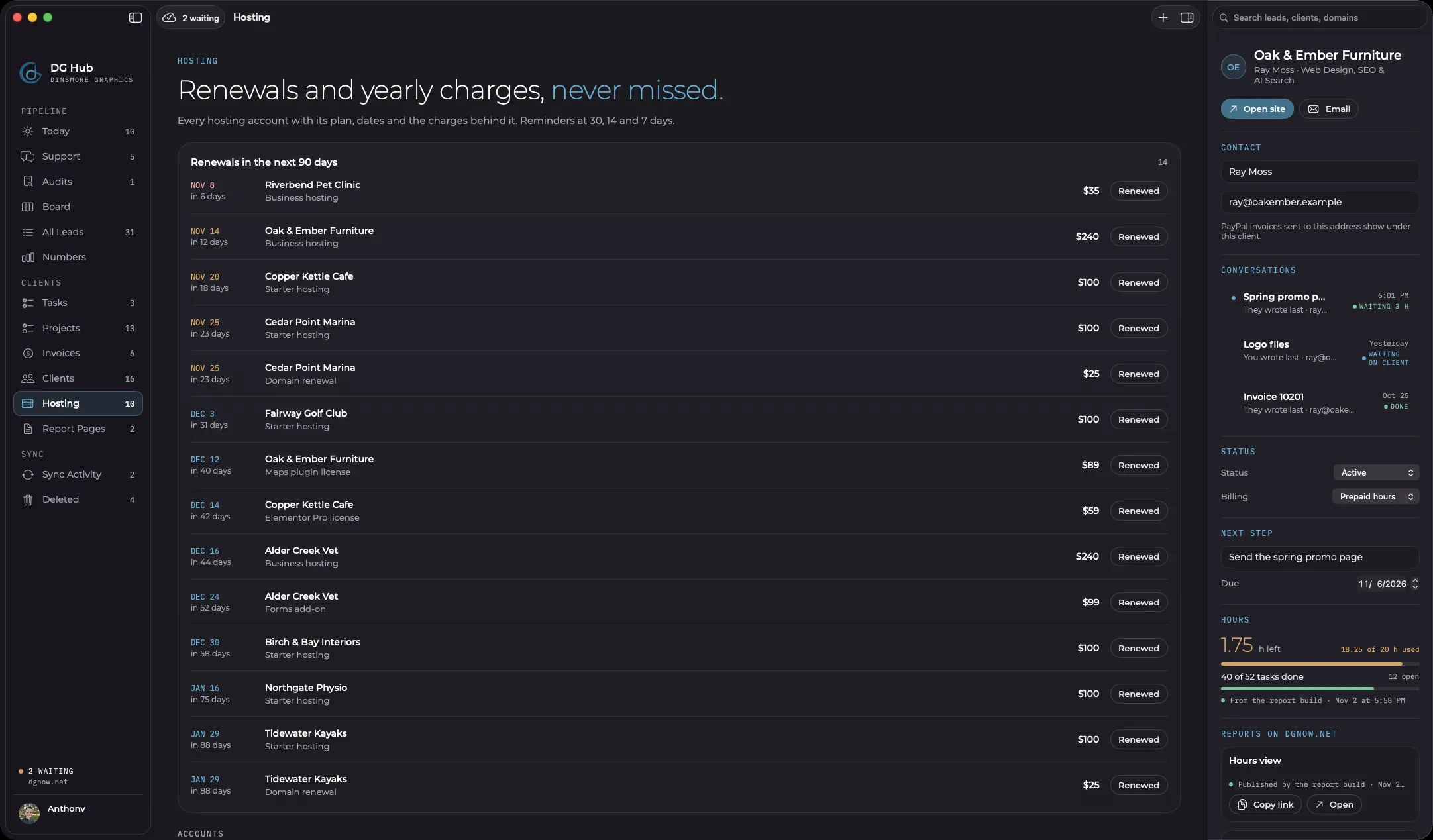
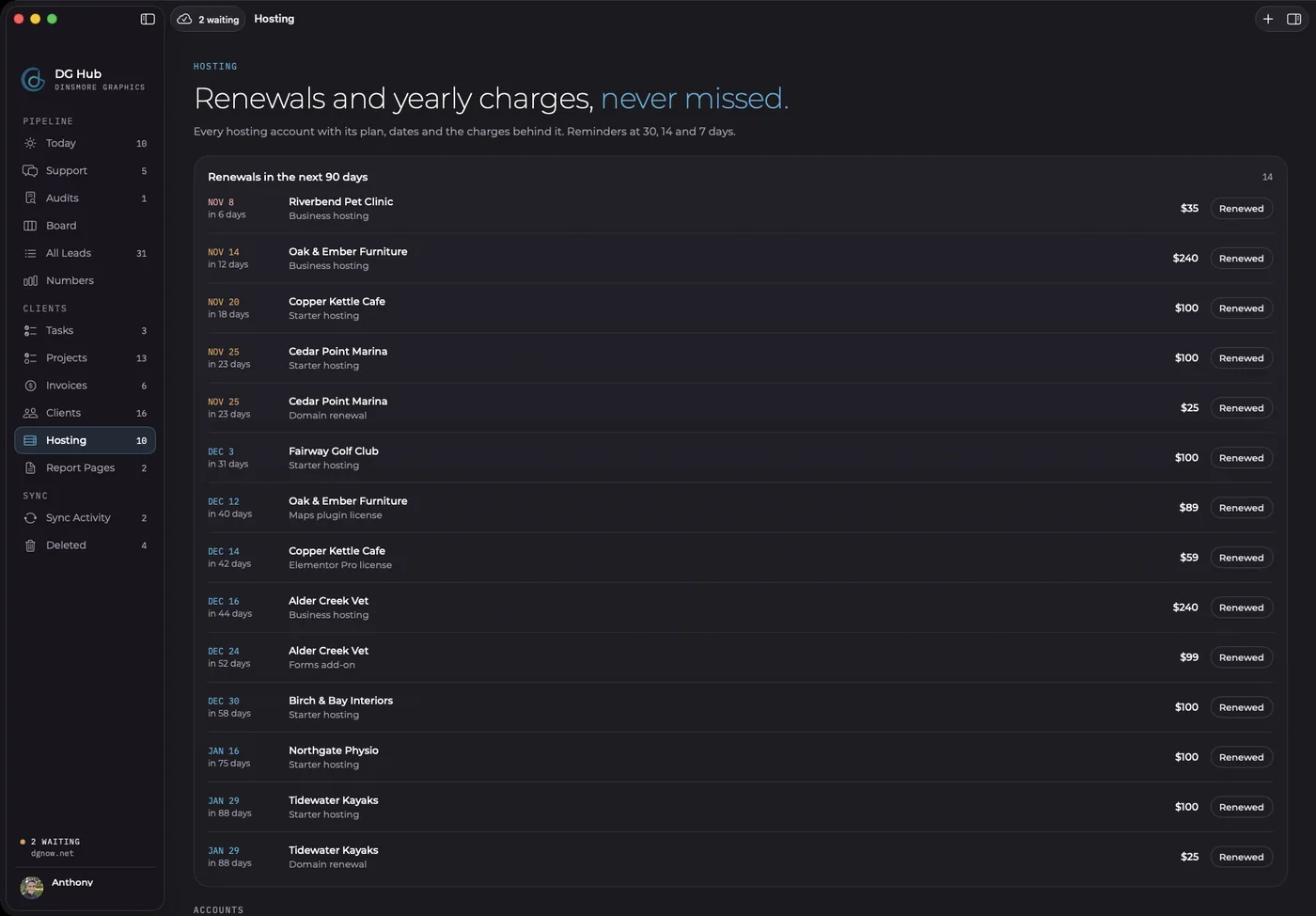
Each hosting account tracks its plan, renewal and domain dates, yearly charges and licenses, so renewals come up before they are due.
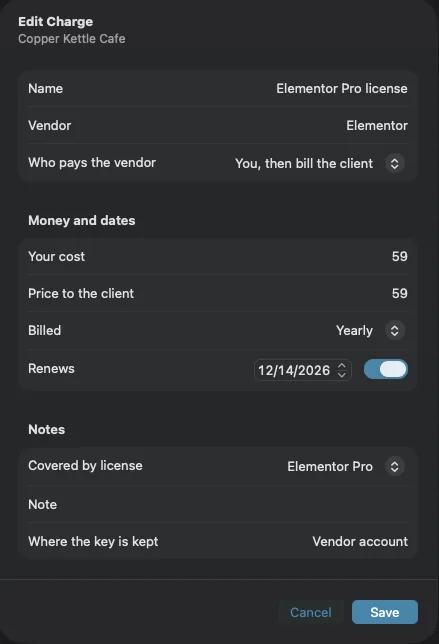
We host websites, so the hub had to know hosting. Each client can carry any number of yearly charges, with what we pay and what the client pays. Reminders come up at 30, 14 and 7 days, and the renewal email is drafted from those same lines.
Chapter 10Tasks and reports
How do tasks and client reports connect?
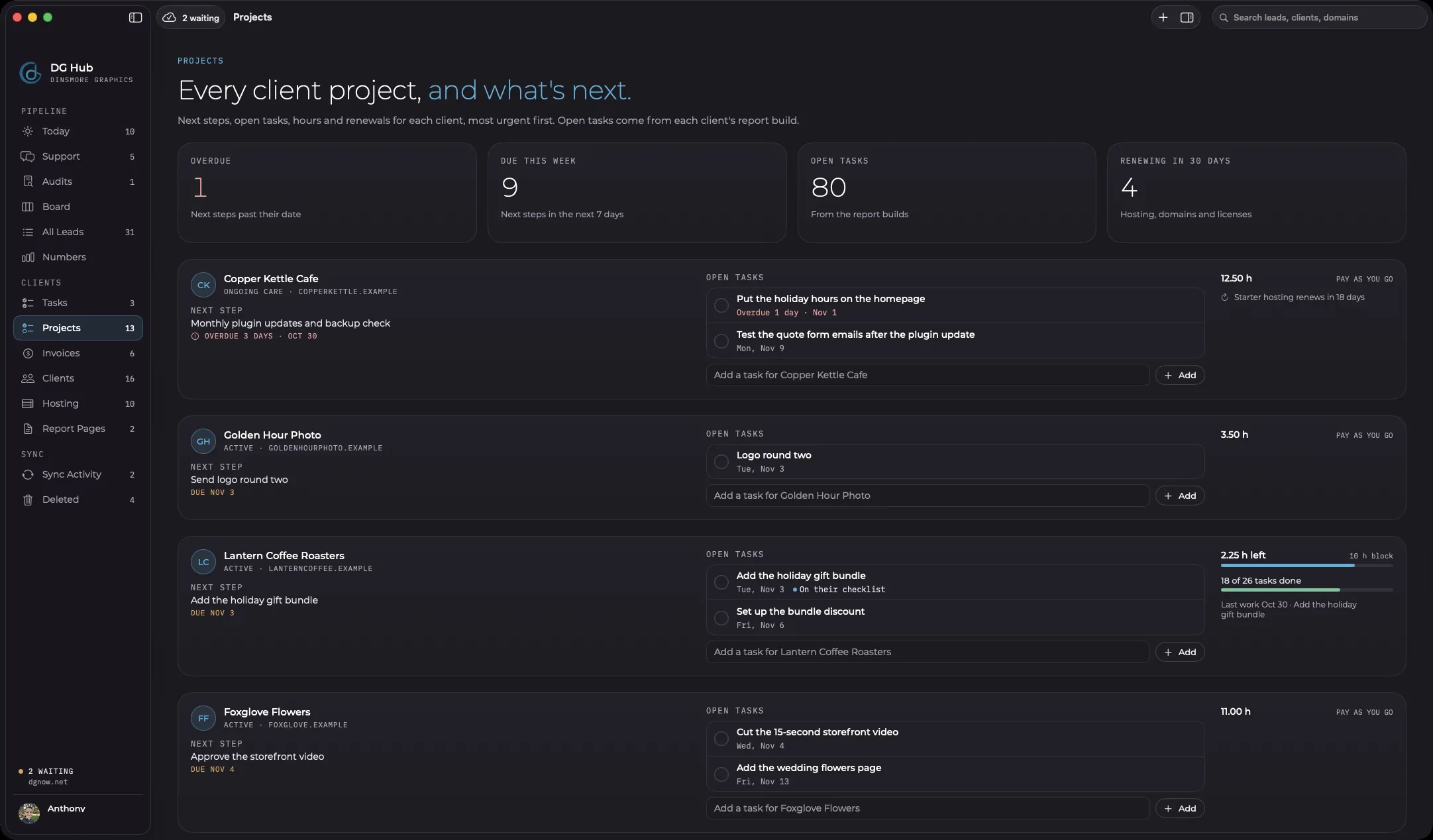
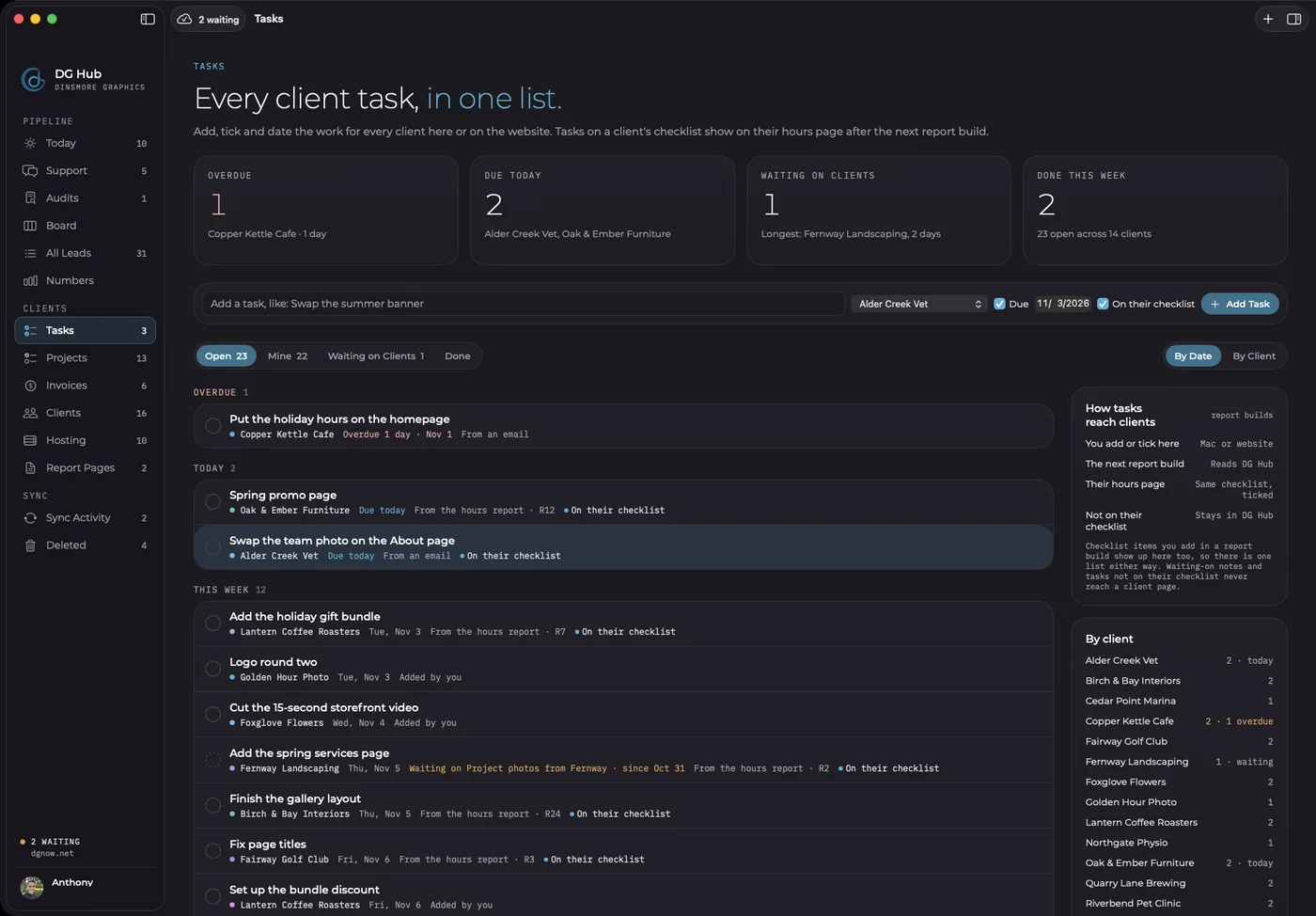
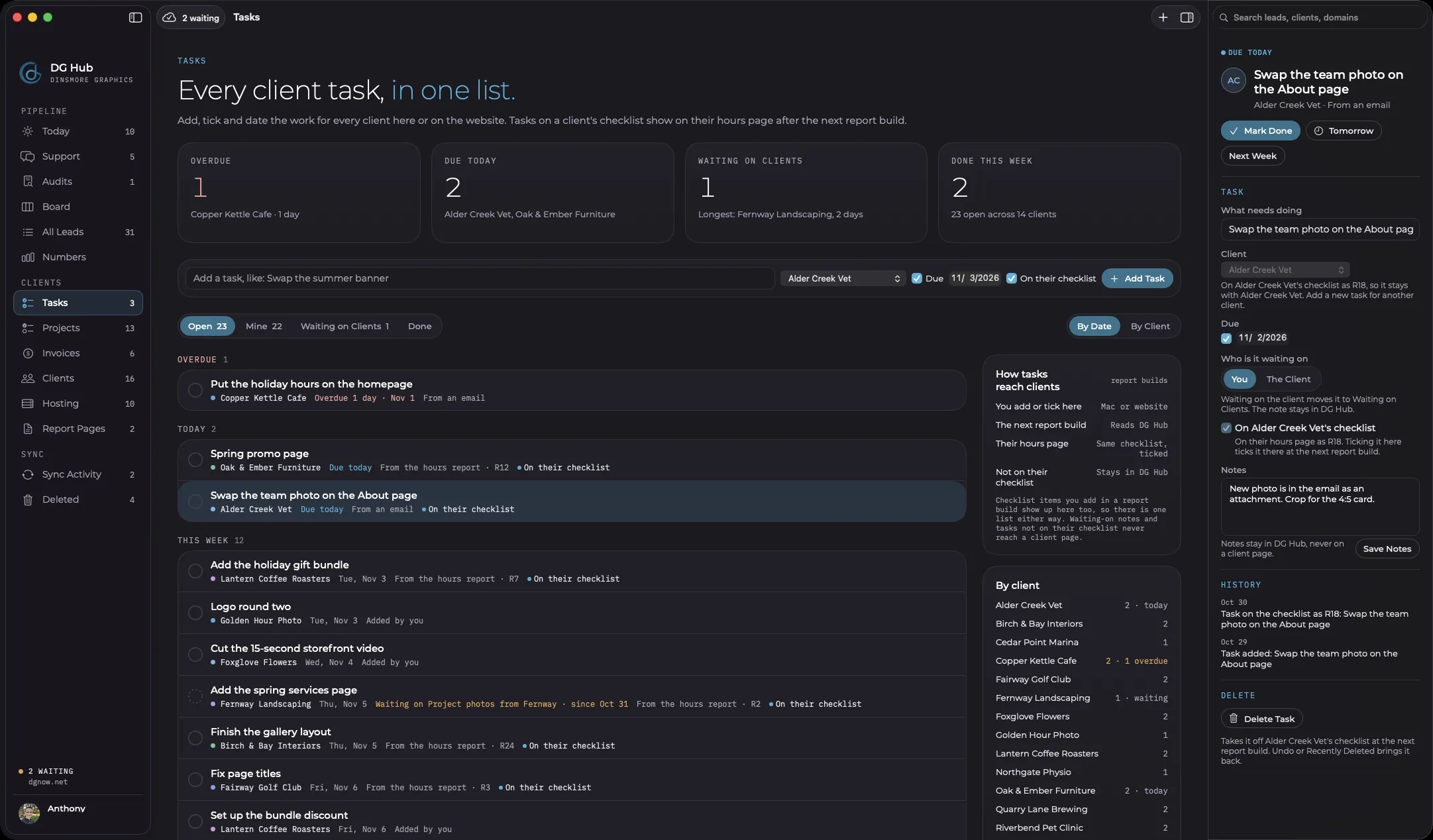
One task list covers our clients, and tasks on a client's checklist reach their hours page at the next report build.
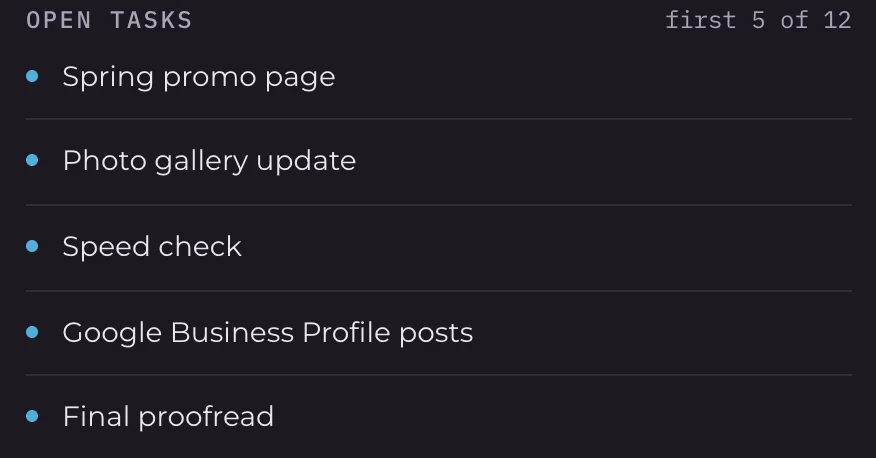
Every project here has a live hours report with a checklist. Where a report keeps one, DG Hub and that checklist stay together in both directions. Add a task in either place and it shows up in the other. Waiting-on notes and private tasks stay inside DG Hub.
In DG Hub
On the client's hours page
Each report build also publishes the client's report pages on its own and sends the latest numbers back. That is how the Projects screen knows who is running low on prepaid hours and what comes next.
Chapter 11The Mac app
What does the Mac app add?
The Mac app keeps its own full copy of the records, so it works offline and syncs when it reconnects.
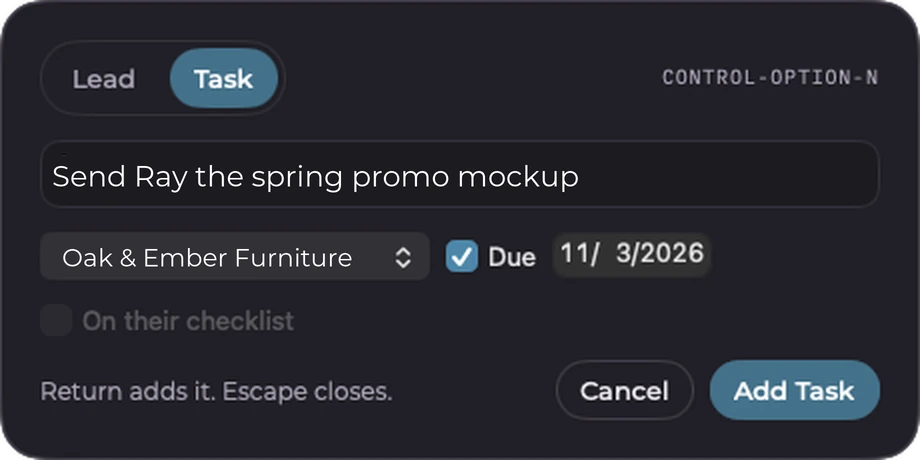
It is a real native Mac app, not a website in a window. It sits in the menu bar with what is new and what is due, and sends an alert when a request comes in. Quick Add opens from any app, so a lead or task gets written down the moment it comes up.
- Control Option N
- Quick Add, from any app
- Shift Command T
- New task
- Shift Command M
- Mark task done
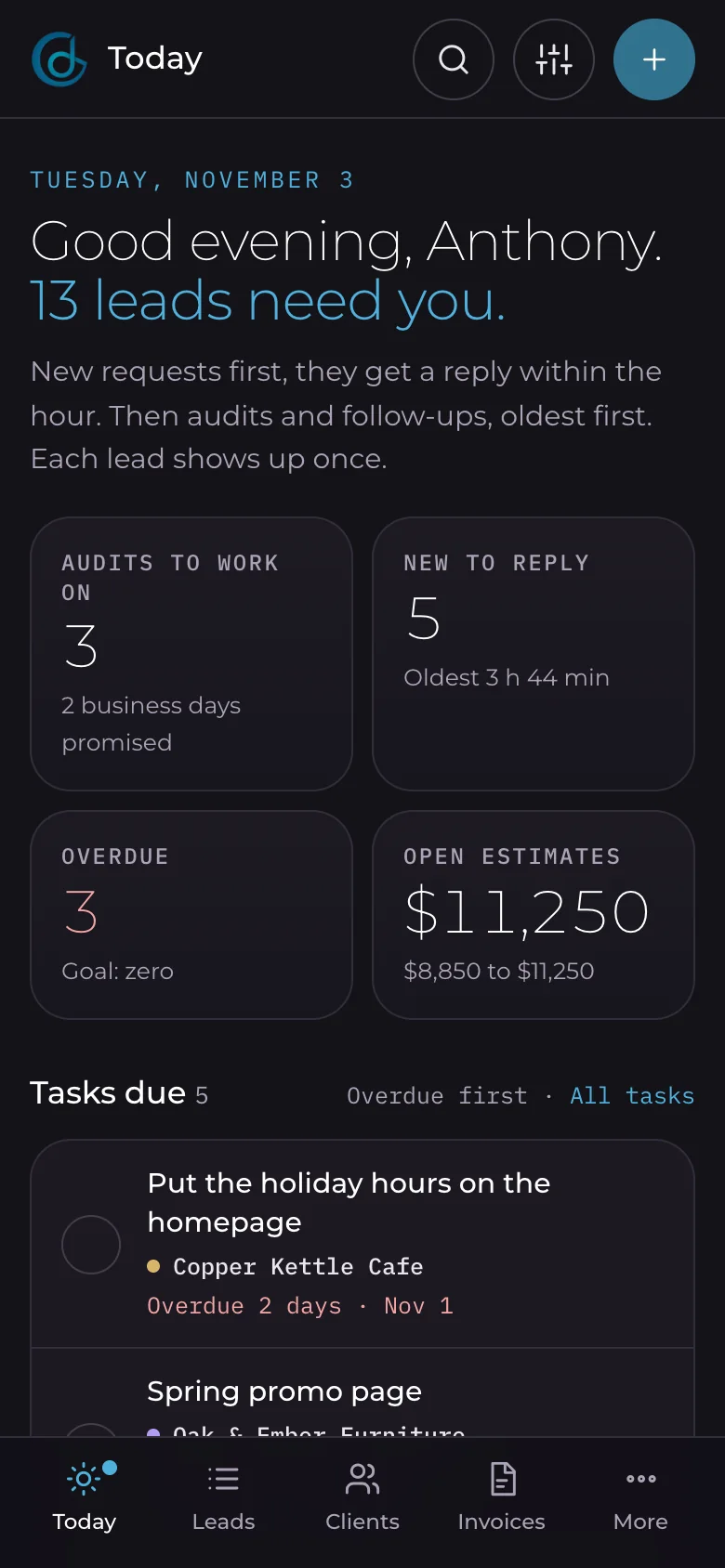
Deletes can be undone, and Recently Deleted brings back anything removed by mistake. On a phone, the website side works as its own app-style screen with a tab bar.
Chapter 12Custom build
What makes it a true custom build?
DG Hub is a truly custom app: every stage, screen and email was engineered around how this studio runs, and every part links to the next.
Nothing here came from a template or a settings page. Follow one client through the app and you can see it: the same record carries from the day's list to their email, their invoices, their hosting and their next task.


Here is what tailored means in practice:
- An Auditing stage with our 2-business-day promise counted down on screen.
- Prepaid hour blocks that show hours left and flag when a client is running low.
- Client reports that publish themselves and report back to the hub.
- Yearly charges per client, with our cost and the client’s price side by side.
- Our invoice numbers carried on from years of PayPal history.
- Branded emails, light for clients and dark for us, from one shared design.
Each feature was designed first, then built and tested with made-up businesses, and everything was backed up before each install. The build was AI-assisted, with every detail manually reviewed before it ships.
Chapter 13Your business
What could a custom build do for your business?
The same approach fits any business whose process doesn't match a template.
A custom build starts with how you already work: what comes in, who answers it, what has to happen next, and what keeps slipping. Tell us what yours looks like. We talk it through on a free call, then you get a plan in hours.
Questions
Straight answers.
More of what people ask about DG Hub and custom builds.
Updated
Are those real clients in the screenshots?
No. Every business, name, email and dollar amount in this post is sample data. Real client records stay out of this post.
Is DG Hub for sale?
No. DG Hub is built around how Dinsmore Graphics works, so it stays private. What we offer is the same kind of custom build, shaped around your business.
Does DG Hub replace Gmail and PayPal?
No. It connects to them. Email still sends and lives in Gmail, and invoices are still paid through PayPal. DG Hub puts them beside the client’s record.
Where does the data live?
On our own website and in the copy on our Mac. Email stays in Gmail, and DG Hub reads a conversation when it is opened.
Does it work on a phone?
Yes. The website side changes to a phone layout with a tab bar. The native app is for the Mac.
How much does a custom build cost?
It depends on what it needs to do. Custom work is billed by the hour like every project here, and you get a plan in hours before any work starts.