

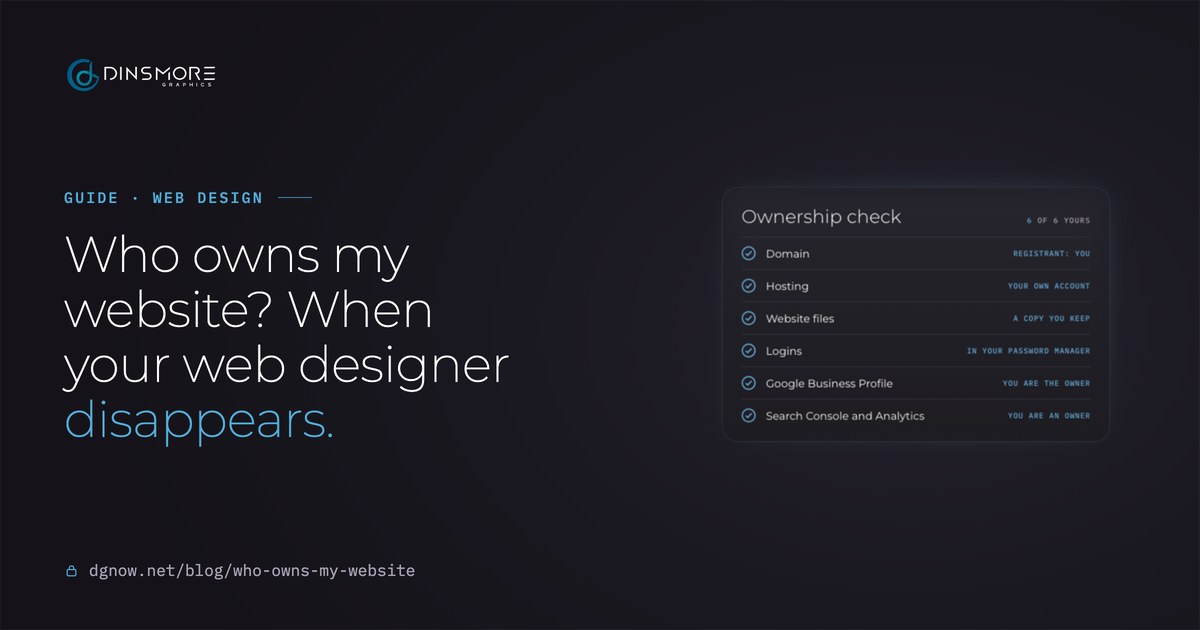
- DomainFind outRegistrant: you
- HostingFind outYour own account
- Website filesFind outA copy you keep
- LoginsFind outIn your password manager
- Google Business ProfileFind outYou are the owner
- Search Console and AnalyticsFind outYou are an owner
Key takeaways
- Your website is six things: the domain, hosting, files, logins and your Google accounts. Take back the domain first.
- The domain belongs to whoever is listed as its registrant, not to whoever paid for it.
- Registrars, hosts and Google each have a recovery route; all of them ask for proof it is your business.
- With the domain back you can always rebuild, and redirects keep most of your search rankings.
- From now on, keep everything in your name: domain, logins, files and an owner seat on every Google account.
Chapter 01The six pieces
Who owns my website?
You own the business; the website is six things that each need to be in your hands.
Paying for a website doesn't put every part of it in your name. Each piece lives in its own account, and whoever controls that account controls the piece. When a designer disappears, these are the six to find, and the order they hang together in:
yourbusiness.com, rented by the year from a registrar
Start hereThe server account the site lives on, often your email too
Pages, images, the database, and the WordPress or Shopify login
The keys to the registrar, hosting, website and email
Your listing on Maps and in search, with your reviews
Your search traffic and visitors, verified through the site
Chapter 02Find the domain
How do I find out who owns my domain?
Look it up, then ask the registrar it names.
- Domain
- yourbusiness.com
- Registrar
- The company it was bought from
- Registrant
- Registration Private
- Expires
- The date it must be renewed by
- Name servers
- Where it points: usually your host
The owner is hidden. Ask the registrar it names.
- 1Look up the domain
Search it on ICANN's free lookup at lookup.icann.org. It shows the public record straight from the registry and the registrar.
- 2Read the registrar
The registrar is the company the domain was bought from and renewed with. That is where the account lives.
- 3Read the registrant
If it shows your business, you own it. If it shows the designer or their company, they hold it. If it says "Registration Private", the name is hidden by a privacy service.
- 4Note the expiry date
If the domain lapses, someone else can register it. Renewing comes before anything else.
- 5Search your email
Look for the registrar's name in old receipts and renewal notices: they often show whose account it is.
Chapter 03Get it back
How do I get my domain back?
If the domain is in your name, the registrar's account recovery gets you in; if it is in the designer's, ask them in writing to move it to you.
Registrars can recover an account for the registrant with proof. If the designer is the registrant, the domain moves to you only when they change the registrant or push it to an account you control. Find your case:
Look up your domain. Who is the registrant?
Ask them in writing to move it to your own registrar account. Did they?
Do you have the registrar login, or renewal emails from the registrar?
Recover the account
Use the registrar's account recovery and send your proof (below). Then change the password and turn on auto-renew with your own card.
Lock it down
Accept the transfer into your own registrar account, change every password, and turn on auto-renew. Then move on to the hosting.
Keep the paper trail
Keep the written request and any reply. Ask the registrar what proof it accepts, and talk to a lawyer about your agreement. This isn't legal advice.
Look inside the account
Log in, or recover the login, at the registrar the lookup names. Inside, the real registrant shows: if it is you, recover it; if it is the designer, ask them in writing.
Ask the registrar
Contact the registrar the lookup names. Ask how to confirm the registrant and what proof it needs to restore your access.
What to gather
- Business documents: your business license or registration, in the same name as the website.
- Payment records: invoices from the designer and any renewal receipts with your card.
- Emails: messages with the designer about the site and the domain.
- Your ID: a photo ID that matches the name on the account, if it is yours.
- The domain’s history: old receipts, renewal notices or a registrar email showing it was set up for your business.
This isn't legal advice. If the designer won't hand over a domain you paid for, or the contract says something else, talk to a lawyer. Domain dispute processes are mostly for trademark cases, so the registrar and your contract are usually where it starts.
Chapter 04Hosting and files
How do I get into my hosting and files?
Start with the host; what you can get depends on whose name the account is in.
| What you have | What to do |
|---|---|
| You have the hosting login | Download a full backup of the files and database, then change the password. |
| The hosting is in your name, but no login | Ask the host to reset access; they will ask for proof that the account is yours. |
| The hosting is in the designer's name | The host can't give you their customer's account. Ask the designer for a copy, or take back the domain and rebuild. |
| You have the WordPress or Shopify login | Make yourself an owner or admin, remove logins you don't know, and export a copy. |
| You have nothing but the domain | Rebuild on hosting in your name, then point the domain to it. Old pages can be redirected. |
Your name servers in the lookup show which host the domain points to. If the site still loads, it is still running somewhere: get a copy before anything changes.
Chapter 05Google accounts
How do I take back my Google accounts?
Each Google account has its own way back, and each one asks you to prove the business or the website is yours.
- Business Profile
Request ownership from the profile on Google. The current owner is emailed and has 3 days to answer. If they don’t, you may get the option to claim it; if they say no, you can appeal with your documents.
- Search Console
You don’t need the old owner. Verify the site yourself (DNS is the strongest way), then remove the old owners and delete their leftover verification codes, or they can let themselves back in.
- Analytics
If someone still has admin access, ask them to add you. If no one does, Google’s Analytics help has a recovery request: you prove you own the website and give the property ID. It isn’t always granted, so a new property is the fallback.
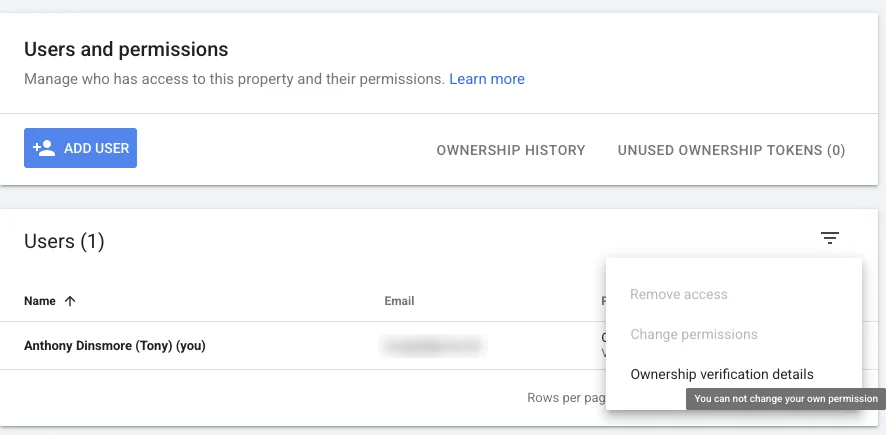

Do Search Console first. Once you control the website you can verify it in minutes, and that proof helps with Analytics and your Business Profile too.
Anthony Dinsmore
Chapter 06If nothing comes back
What if nothing can be recovered?
If you have the domain, you can always rebuild; redirects carry most of your search rankings to the new pages.
- 1Copy what is still public
If the old site still loads, save its text and images now, page by page.
- 2Rebuild on accounts in your name
New hosting in your name, then the site, built so you hold every login.
- 3Redirect the old addresses
Each old page address points to its new page with a permanent redirect, so links and search results still land somewhere real.
- 4Tell Google
Verify the site in Search Console and submit the new sitemap the day it launches.
Without the domain it is harder, but not the end. A new domain, a rebuilt site, and your Business Profile pointed to it get you back in business; the old domain can be chased separately.
Chapter 07Never again
How do I make sure this never happens again?
Keep every account in your name, and give your designer their own access, never yours.
- The domain in your name, on your own registrar account, with auto-renew on your card.
- Your own logins for the registrar, hosting, website and email, saved in a password manager.
- You as owner on your Google Business Profile, Search Console and Analytics; your designer gets their own seat, not yours.
- A copy of your files and a backup you can download, at least once a year.
- A contract that says it, that the domain, site and files are yours once the project is paid.
Website ownership card
Fill it in once. Keep it with your business papers.- Domain
- yourbusiness.com
- Registrar and its login saved in
- Renews on
- Hosting company and login saved in
- Website login (WordPress or Shopify) saved in
- Latest backup of the files saved to
- Google Business Profile owner
- Search Console owner
- Analytics admin
- Designer access removed on
The domain is yours, the logins are yours, and so are the files.
Free consultation
Locked out of your own website?
Tell me what you still have, even if it is only the domain name. I'll tell you what can be recovered and what it takes, before any work starts.
Chapter 08How we help
How do we help you take it back?
Moving is free for most sites, and everything ends up in your name.
- 1A free look
I look over your current hosting and site, with whatever access you have. Most moves are simple and free; a complex site gets a look first.
- 2Your domain, on your account
Your domain stays in your name on your own account. If you need one, I help you set it up and buy it with your card, then hand you the login.
- 3A planned move
Your site is copied and tested on the new account first, the domain is switched at a planned time, and your old host stays on until everything works.
- 4Your email too
Your email addresses are set up on the new account before the switch. Moving old messages is often possible, and gets a look first.
Questions
Straight answers.
More of what people ask about owning their website.
Updated
Can my web designer legally keep my domain?
It depends on whose name it is in and what your agreement says. The registrant listed on the domain controls it, even if you paid. If the designer won’t move a domain you paid for, ask in writing and talk to a lawyer; this isn’t legal advice.
I paid for the website. Don’t I own it?
You own what your agreement gives you, but control follows the accounts. If the domain, hosting or Google accounts are in someone else’s name, they need to be moved to you. Here, once the project is paid in full, your website and your domain are yours.
How long does it take to get a domain back?
If it is in your name, a registrar can often restore your access within days once you send proof. If the designer holds it, it takes as long as they take to move it to you. Renew it first if it is close to expiring.
Will I lose my Google rankings?
Not if you keep the domain. A rebuilt site with permanent redirects from the old page addresses keeps most of what you have earned. A new domain starts over, which is why the domain comes first.
Can I keep my business email?
Yes, as long as you keep the domain. Your addresses are set up on the new hosting, or with Google Workspace, before the switch. Old messages can often be moved too.
What should my web design agreement say?
That the domain is registered in your name, that you get every login, and that the website and its files are yours once the project is paid in full.