

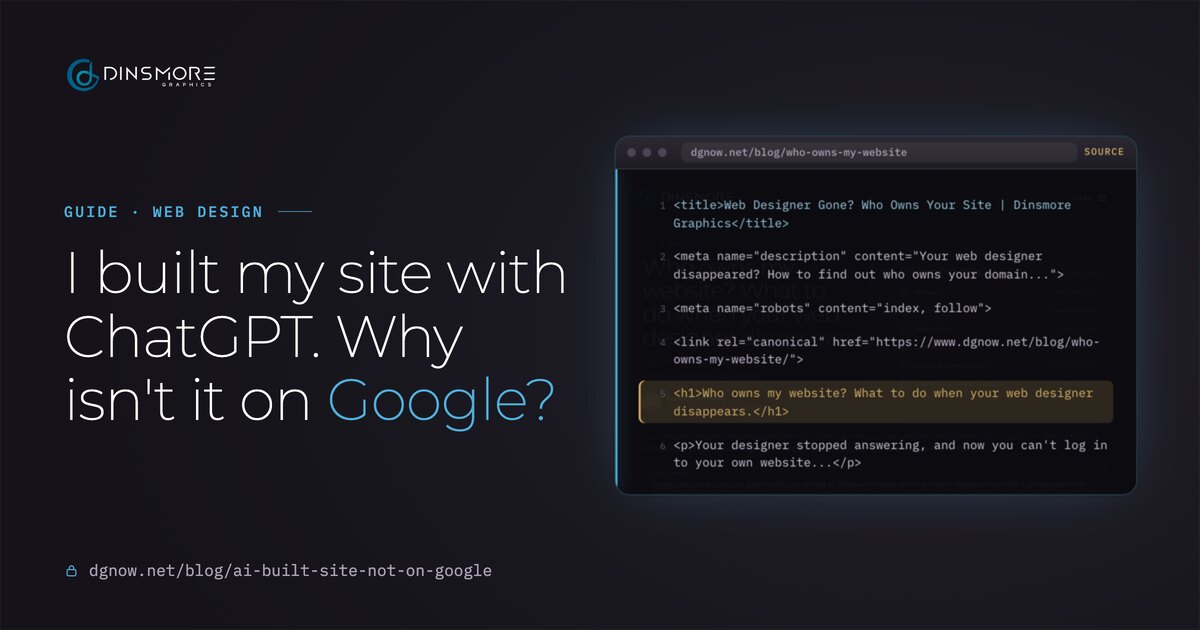
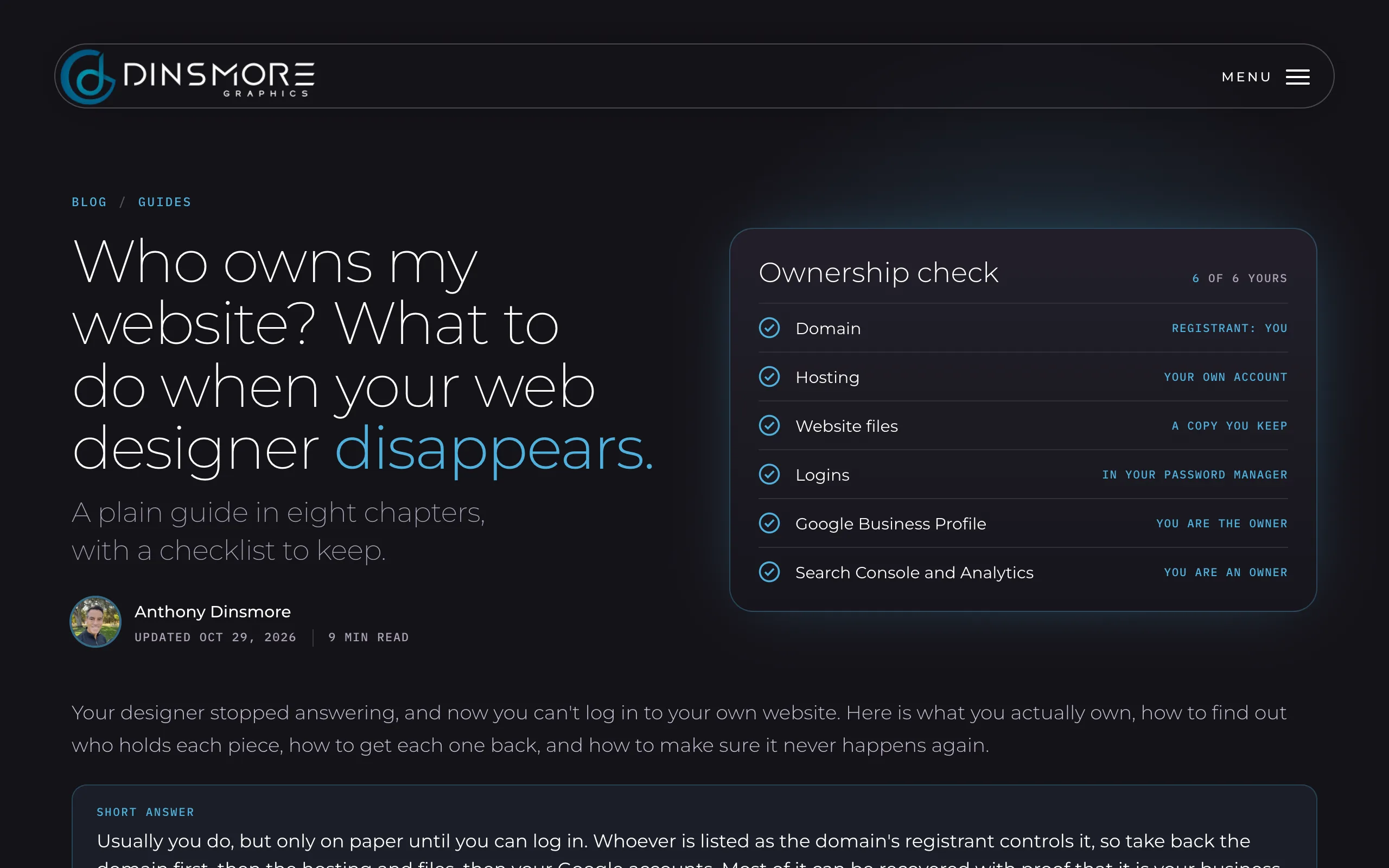
<title>Web Designer Gone? Who Owns Your Site | Dinsmore Graphics</title><meta name="description" content="Your web designer disappeared? How to find out who owns your domain..."><meta name="robots" content="index, follow"><link rel="canonical" href="https://www.dgnow.net/blog/who-owns-my-website/"><h1>Who owns my website? What to do when your web designer disappears.</h1><p>Your designer stopped answering, and now you can't log in to your own website...</p>
What visitors seeWhat Google reads first
Key takeaways
- ChatGPT writes website code; it doesn’t publish it. Google can only find a site that is live at a real address.
- One noindex tag or one robots.txt line can hide a whole site. Check both first.
- If your page source is an empty box, Google has to run your site’s code to read it, and that can wait or fail.
- Search Console is how you tell Google the site exists. Submit the sitemap, request indexing once, then wait.
- Google doesn’t punish AI-made sites. It skips thin, generic pages that nobody checked.
Chapter 01Is it online?
Is your site actually online at your own address?
ChatGPT writes the code but doesn't publish it. Until the site is live at your own address on a real host, there is nothing for Google to find.
This is the most common surprise. A site can look finished in a chat window, a preview link or a builder's editor and still not exist anywhere Google can reach. The test is simple: open a private browser window and type your own domain. If your site doesn't open there, at that address, start here.
Where did your site come from?
Check first: Code sitting in a chat or on your computer isn't a website yet. It needs hosting and your domain before anyone, Google included, can see it.
Check first: Check that your own domain is connected and set as the main address. The builder's own address can end up on Google instead of yours.
Check first: These publish real pages. Check the site isn't still hidden or password protected in the builder's settings, then go to chapter 4.
Check first: Check Settings, Reading: "Discourage search engines from indexing this site" must be off. It is easy to leave on after building.
- Your own domain: yourbusiness.com, not a preview link or a builder subdomain.
- A real host: the files live on a server that is always on, not on your computer.
- https: the padlock is there and the http version forwards to it.
Chapter 02Blocked?
Is something telling Google to stay out?
A single noindex tag or one Disallow line in robots.txt keeps Google out, and builders sometimes leave a "hide from search" setting on.
While a site is being built, it is normal to hide it from search. The trouble starts when that switch stays on after launch. Two places to look, both free and both public:
dgnow.net/robots.txt
User-agent: *
Disallow: /wp-admin/
Allow: /wp-admin/admin-ajax.php

Sitemap: https://www.dgnow.net/sitemap_index.xml
In every page's source
<meta name="robots" content="index, follow">- 1Only the admin area is kept out. A line reading
Disallow: /would hide the whole site. - 2The sitemap line tells every search engine where the list of pages is.
- 3
index, followinvites Google in. If you findnoindexhere, that page stays out of Google.
- 1Open your robots.txt
Type your address followed by /robots.txt. Look for Disallow: / on its own. That one line hides everything.
- 2Search the page source for noindex
Right-click your home page, choose View Page Source, press Ctrl+F (Cmd+F on a Mac) and search for noindex.
- 3Check the builder's settings
Look for "hide from search engines", "discourage search engines" or a site password, and turn it off.
Chapter 03Empty page?
Can Google read your page without running its code?
Many AI-built sites send an empty page and fill it in with JavaScript. Google has to come back and run that code before it can read anything, and some crawlers never do.
Google reads a page in three steps: it fetches it, renders it by running its code, then indexes what it finds. The render step waits in a queue. Google's own guide still recommends sending real HTML, because not every bot can run JavaScript. AI search tools mostly read only the first response.
Typical AI app, first responseExample
<title>My App</title>
<body>
  <div id="root"></div>
  <script src="/assets/index.js"></script>
</body>
No headline, no text. Google has to run the script first.
dgnow.net, first responseReal
<title>Web Designer Gone? Who Owns Your Site...</title>
<meta name="description" content="Your web designer...>
<h1>Who owns my website? What to do...</h1>
<p>Your designer stopped answering...</p>
Title, headline and about 3,600 words of text, readable on the first visit.
To check yours, open your home page, choose View Page Source, and search for a sentence you can see on the page. If it isn't in the source, your text only exists after the script runs.
- The fix: turn on your builder’s prerendering or server rendering, or move the site to a platform that sends real HTML, like WordPress, Shopify or a hand-coded site.
- Links too: menus need real links (an <a href>), not buttons that only work with a script, or Google can’t follow them.
Chapter 04Tell Google
Did you tell Google your site exists?
Add your site to Google Search Console, submit your sitemap and request indexing once. Asking again doesn't make it faster.
- 1Add your domain
In Google Search Console, add a Domain property and verify it with the record it gives you.
- 2Submit your sitemap
Under Sitemaps, enter your sitemap address. Most platforms make one for you; look for sitemap.xml or sitemap_index.xml.
- 3Inspect your home page
Paste your address into the box at the top. It shows whether Google has the page and why not.
- 4Request indexing once
If it isn't on Google yet, press Request indexing. Then give it time.
- 5Add Bing too
Bing Webmaster Tools can import your Search Console site in a few clicks.
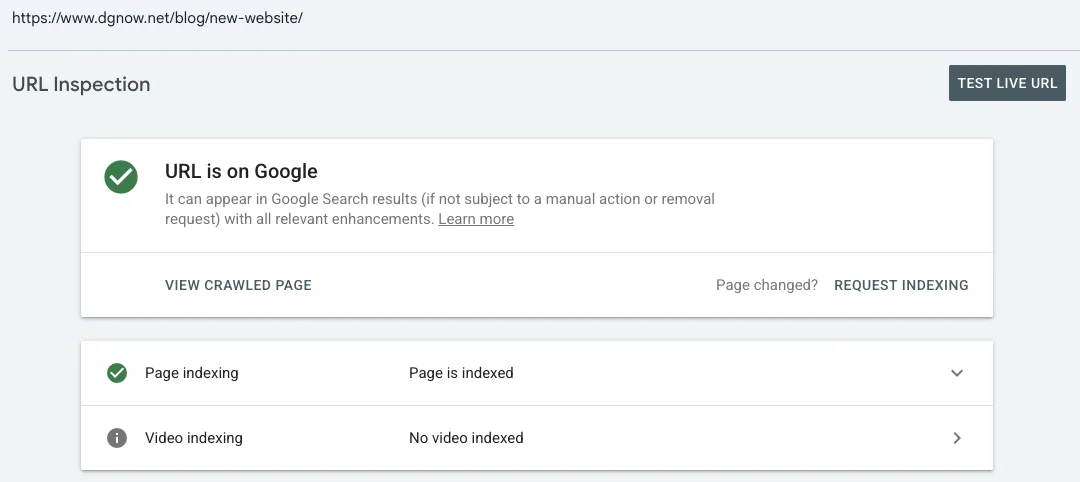
A brand-new domain with no links pointing to it can sit at "Discovered, currently not indexed" for a while. One genuine link from a site that already ranks, like your Google Business Profile or a local directory, helps Google decide to visit.
Chapter 05Real content
Is there enough real content to be worth showing?
Google doesn't punish a site for being made with AI. It passes over pages that are thin, generic or unchecked.
Google's own guidance says AI-assisted content is fine when it is accurate and useful, and asks owners to fact-check and review everything before it goes live. What it treats as spam is mass-produced pages that add nothing. A five-page site with real details beats fifty pages of filler.
- A page per service
One clear page for each thing you sell, with its own title and headline, not one page that lists everything.
- Where you work
Your town or service area, your address or hours, in plain text on the page.
- Your own photos
Your work, your team, your place. Stock images and AI art tell Google nothing about you.
- Every fact checked
Prices, phone numbers, claims and names read by a person before the page goes live.
Tip from Anthony
Read each page out loud before it goes live. If a sentence could sit on any business's website, swap it for something only you would say.
Chapter 06Indexed vs ranking
Indexed, ranking, recommended: what's the difference?
Indexed means Google has your page on file. Ranking means it shows up when people search. Recommended means AI tools name you. Each step needs more than the last.
- 01OnlineLive at your own address
Anyone can open it.
- 02IndexedGoogle has it on file
URL Inspection says URL is on Google.
- 03RankingShows up for a search
Customers find it for the things you sell.
- 04RecommendedAI tools name you
ChatGPT and Google's AI suggest your business.
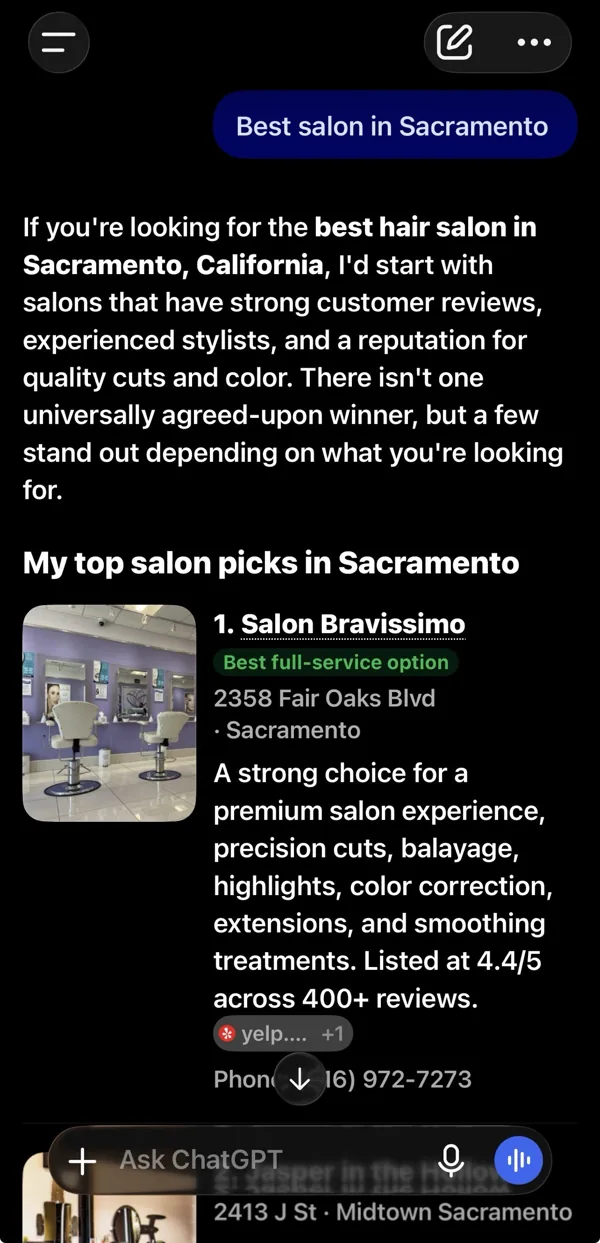
The top step, for real. ChatGPT recommends our client Salon Bravissimo for the best salon in Sacramento.
Getting indexed is the part you control in an afternoon. Ranking and being recommended take real content, reviews and time. Our guide to getting recommended by ChatGPT and Google's AI covers the top two steps.
Chapter 07How long
How long should it take?
A few days to a few weeks for a new site, in Google's own words. If nothing shows after a month, something in this guide is blocking it.
- Day 1Search Console set up
Sitemap submitted, home page inspected, indexing requested.
- Days 2 to 14Google visits
Pages move from Discovered to Crawled to Indexed.
- Weeks 2 to 4First searches
Your name and address start to show; service searches come later.
- After a monthStill nothing?
Something in chapters 1 to 3 is blocking it. Go back to the checks.
| What URL Inspection says | What it means |
|---|---|
| URL is on Google | Indexed. You're done with this guide. |
| Discovered, currently not indexed | Google knows the address but hasn't visited. Common on new sites; a sitemap and one good link help. |
| Crawled, currently not indexed | Google read it and passed. Often thin or empty-looking content (chapters 3 and 5). |
| Excluded by noindex tag | Your site asked to be left out (chapter 2). |
| Blocked by robots.txt | Your robots.txt keeps Google away (chapter 2). |
| Soft 404 | The page looks empty or like an error to Google (chapter 3). |
Chapter 08Check yours
How do I check my own site in ten minutes?
Open your site in a private window, check robots.txt and the page source, then set up Search Console. Ten minutes, all free.
- 1Private window test
Your domain opens your site, with the padlock.
- 2robots.txt and noindex
Nothing hides the site (chapter 2).
- 3Page source test
A sentence from your page is in the source (chapter 3).
- 4Search Console
Domain verified, sitemap submitted, home page inspected.
- 5Wait, then look again
Check URL Inspection in a week. Request indexing only once.
Google visibility check
Print it, tick it, date it.- Online at your own address
- Opens at your domain, with https
- No noindex
- Not in the page source
- robots.txt
- No Disallow: /, sitemap listed
- Text in the source
- Headline and paragraphs, not an empty box
- Search Console
- Verified, sitemap submitted
- URL Inspection
- URL is on Google, or requested once
If you'd rather not untangle it yourself, this is everyday work for us: we build sites that send real HTML, set up Search Console and the sitemap, and write pages with real details, every one manually reviewed before it ships.
Free consultation
Still not on Google?
Send me your address. I'll run these checks, read your Search Console with you and tell you exactly what is in the way, before any work starts.
Questions
Straight answers.
More of what people ask about getting a new site on Google.
Updated
Does Google penalize websites made with AI?
No. Google judges the page, not the tool. It asks that AI-assisted content be accurate and checked, and it treats mass-produced pages with no real value as spam whoever made them.
How long does it take for a new website to show up on Google?
Google says a few days to a few weeks. Set up Search Console, submit the sitemap and request indexing once; asking again doesn’t speed it up.
What does “Discovered, currently not indexed” mean?
Google knows the address but hasn’t visited yet. It is common on new sites with few links. A sitemap, one genuine link from a site that already ranks, and a little time usually move it.
My site shows up on Google under the builder’s address. Why?
The builder’s own address went live first. Connect your domain, set it as the main address, and make the old address forward to it, so Google moves everything to your domain.
Do I need to rebuild my AI-made site?
Not always. Fix the five checks first. If your page source is still an empty box and the builder can’t prerender it, a rebuild on a platform that sends real HTML is usually faster than fighting it.
If Google can’t find my site, can ChatGPT?
Probably not. AI search tools use their own crawlers and search indexes, and many read only the first response without running JavaScript. A site Google can read is a good start for them too.